Work like an AI-native New York litigator.
Without building the system yourself.
Whether you are experimenting with AI or already drafting in it, DocketDrafter gives Claude, ChatGPT, and other supported agents a ready-to-use New York litigation workspace. Start with court templates, Unified Court System forms, and Word workflows already in place, then customize the workspace when useful.
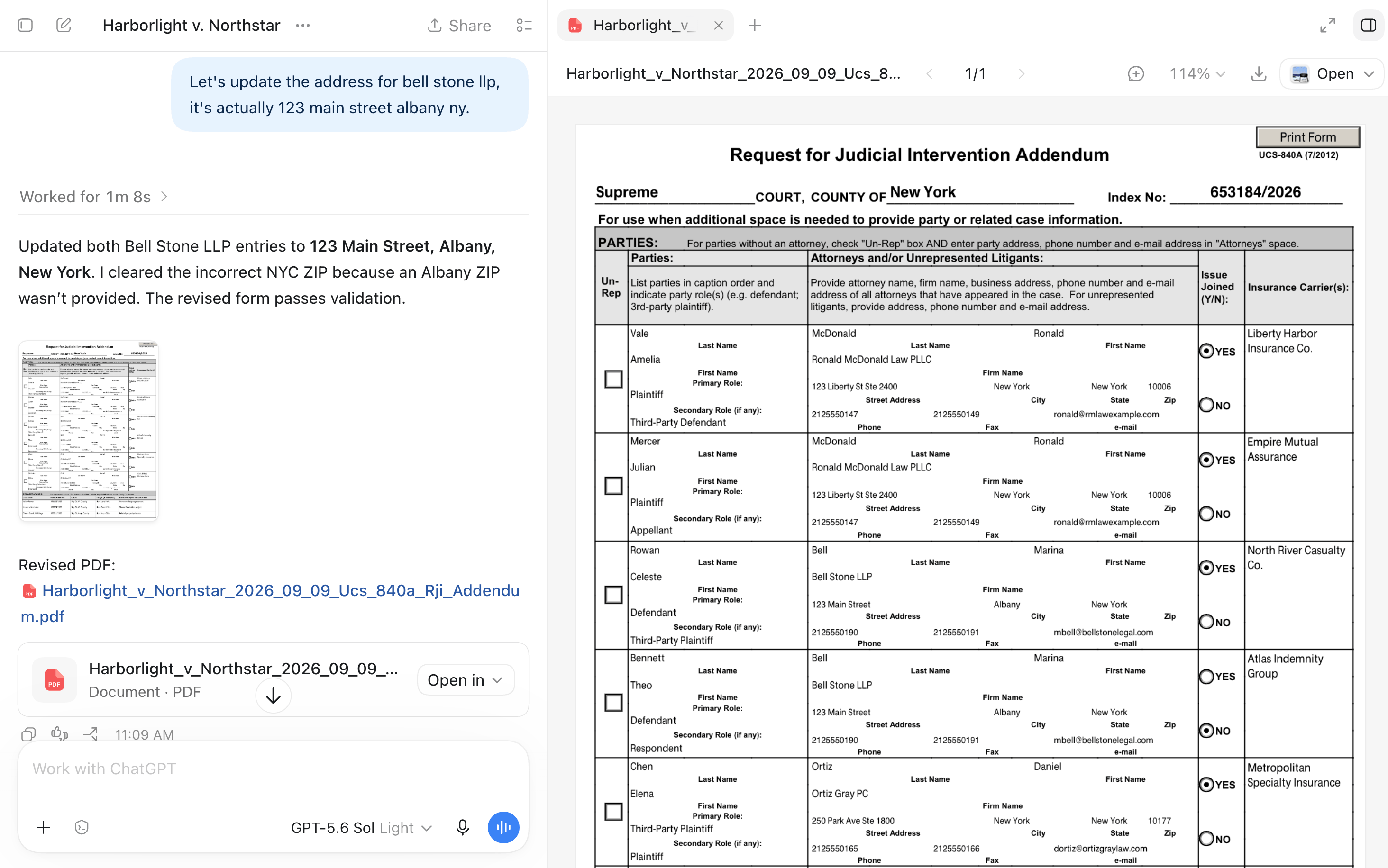
Compatible with Adobe Acrobat.
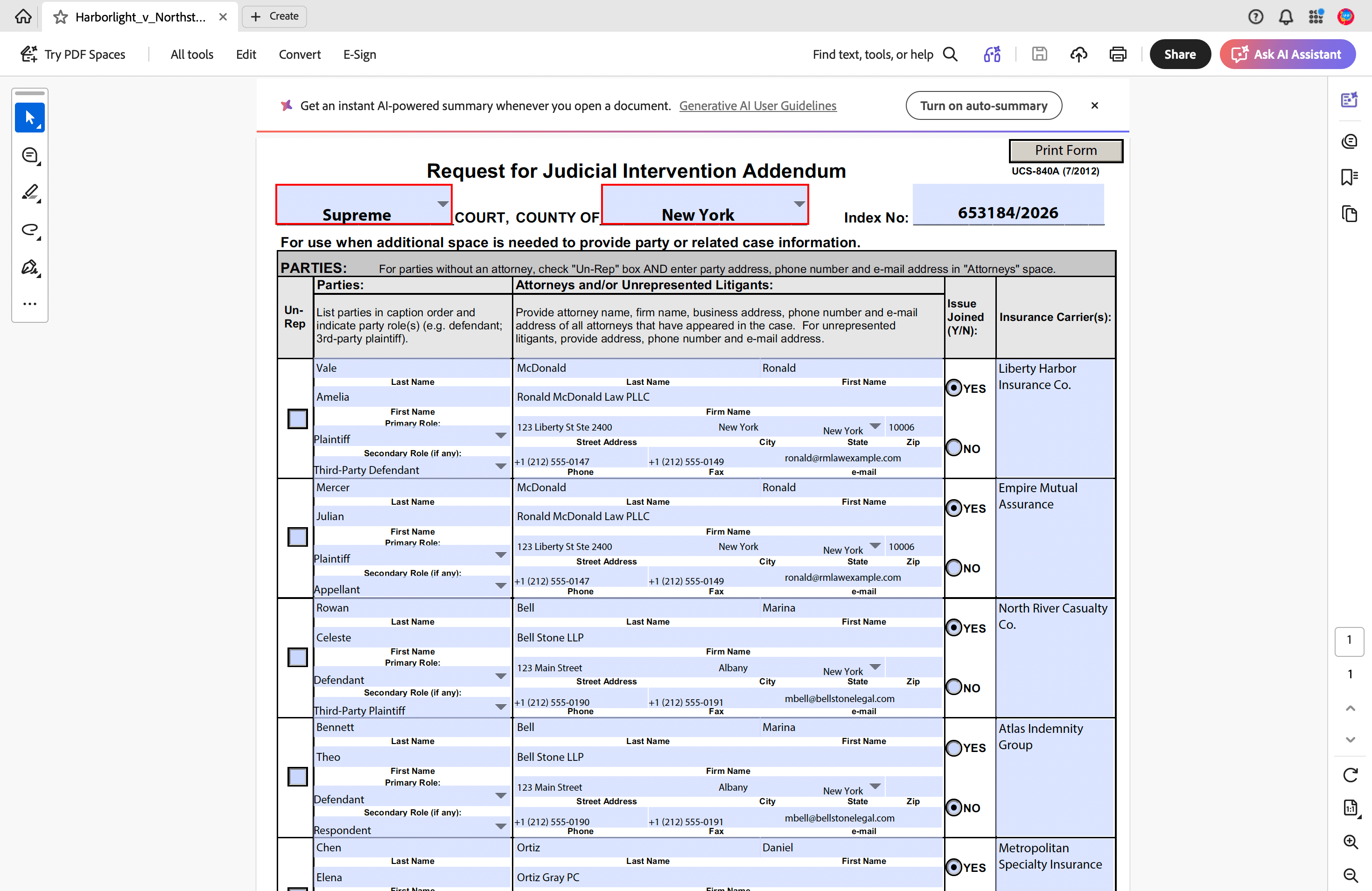
From RJIs
to federal briefs.
Already configured.
Keep drafting in Claude, ChatGPT, or another supported agent. Add your firm's style when you are ready.
Start immediately with our New York house formats. You do not need to send us a template to see DocketDrafter work. If you later want the documents to match your firm's existing style, customization is included.
- New York federal filings
- Pleading and brief templates for the Southern, Eastern, Northern, and Western Districts of New York.
- New York Supreme Court
- Templates for complaints, answers, motions, affirmations, affidavits, memoranda of law, orders to show cause, proposed orders, and related filings.
- Unified Court System forms
- Form UCS-840, Request for Judicial Intervention (RJI), applicable RJI addenda including UCS-840A and UCS-840C, and other New York Unified Court System forms. DocketDrafter uses the configured official form instead of asking AI to recreate it. Need another UCS form? Let us know before onboarding, and we can add it to your workspace as part of setup.
- Your firm’s letterhead
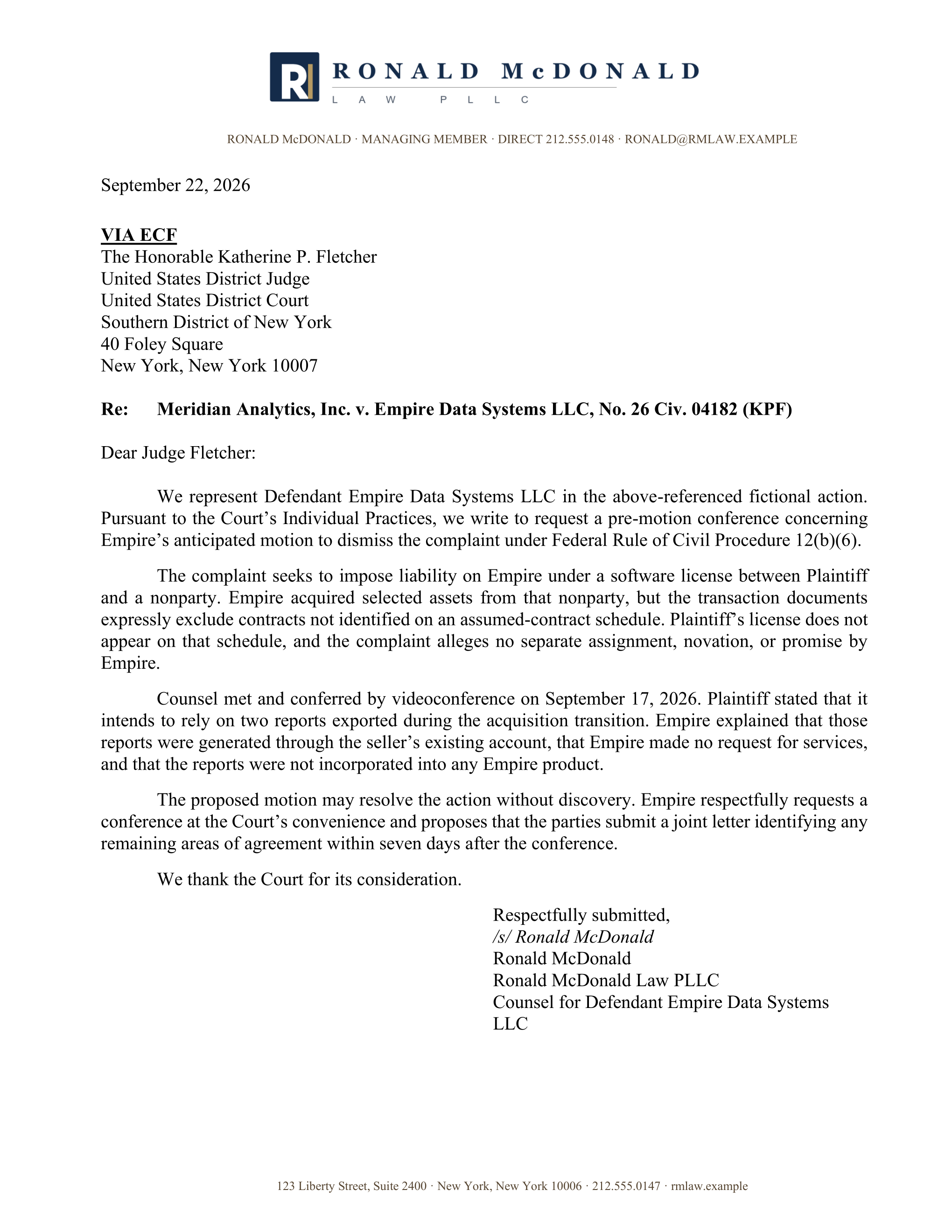
- Demand letters, client correspondence, and other letters in your preferred format.
- Appellate work
- Brief and motion formats for each department of the New York Supreme Court, Appellate Division.
Every document comes back court-formatted.
Verified complaints in the Supreme Court's format, letters to the court on your firm's letterhead, and federal memoranda of law with tables of contents and authorities you never rebuild by hand. No New York setup required.
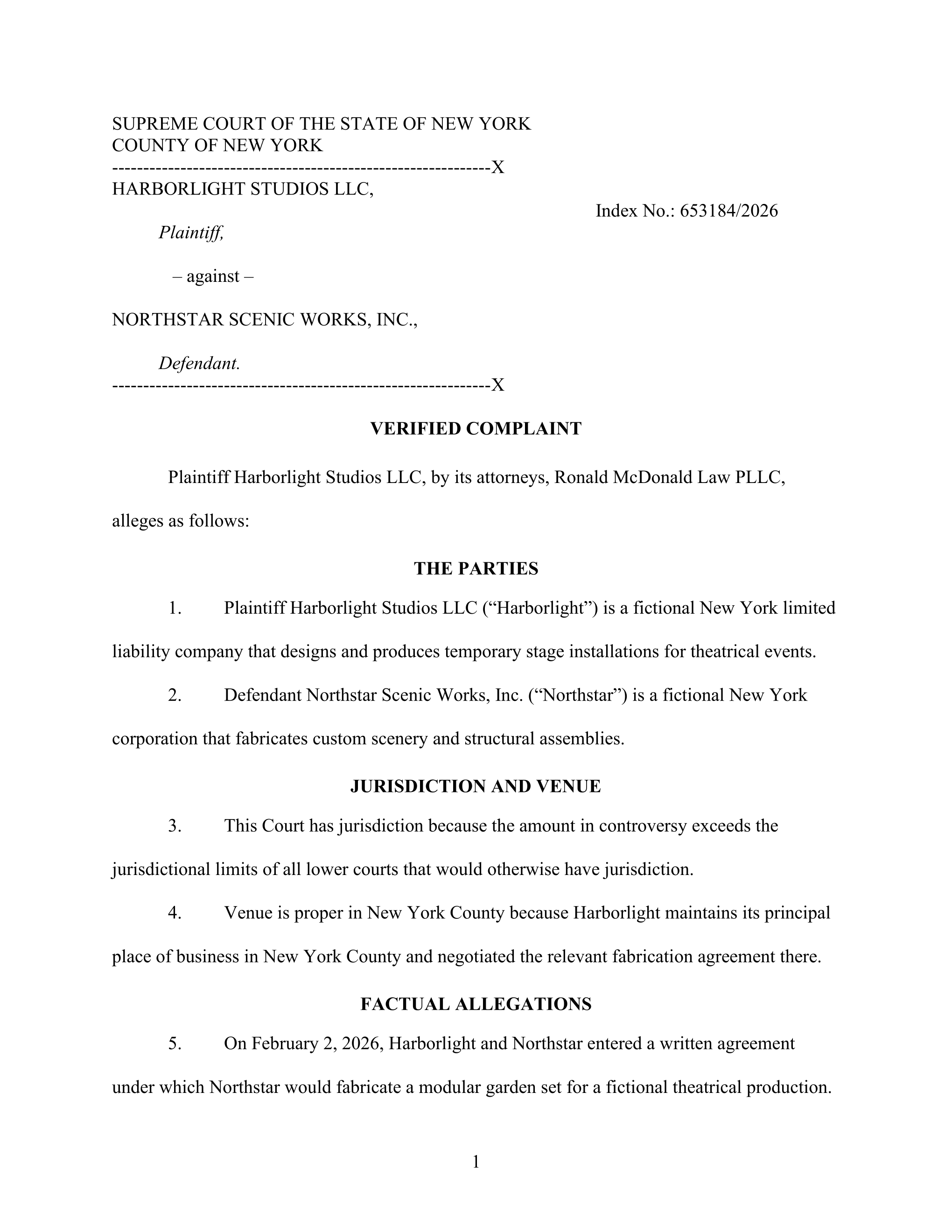
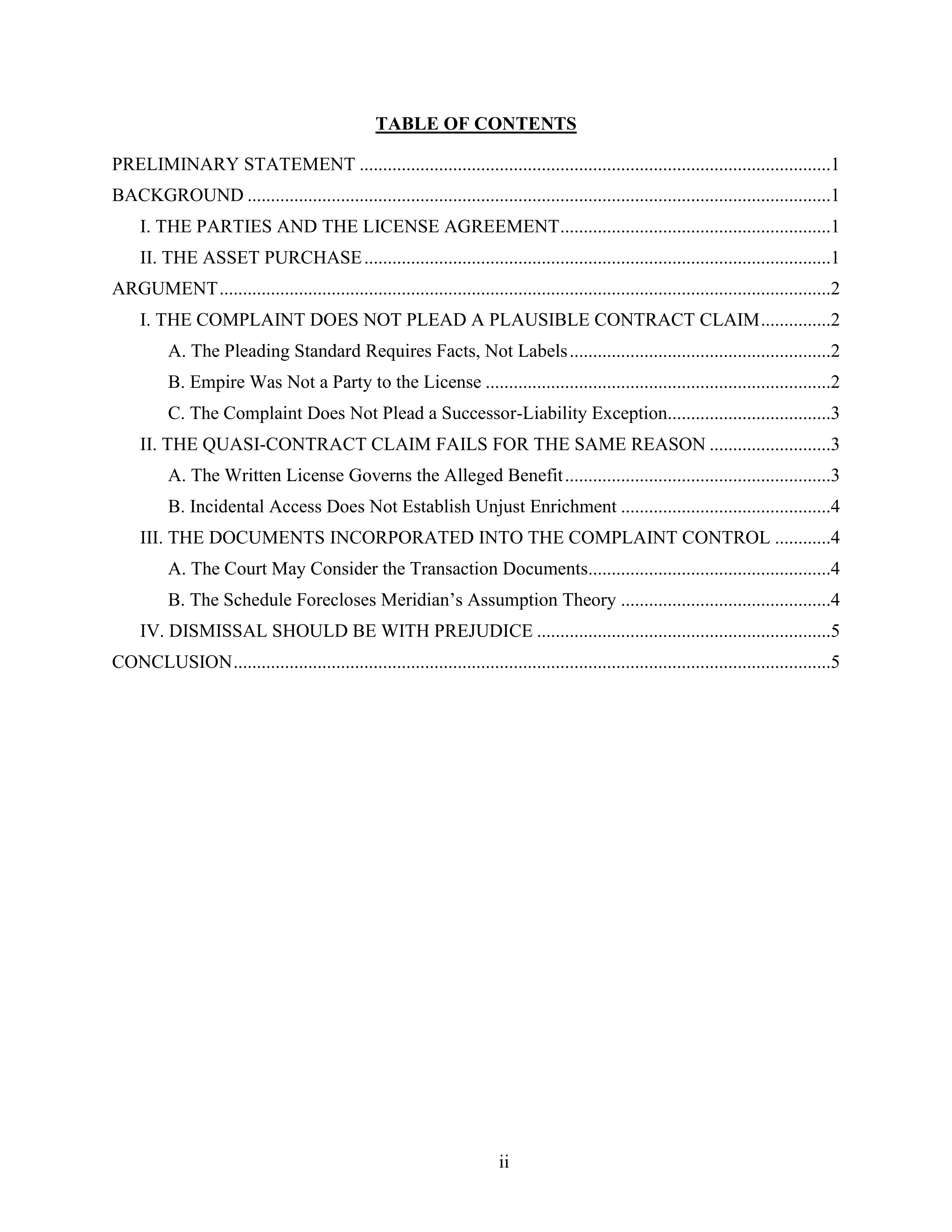
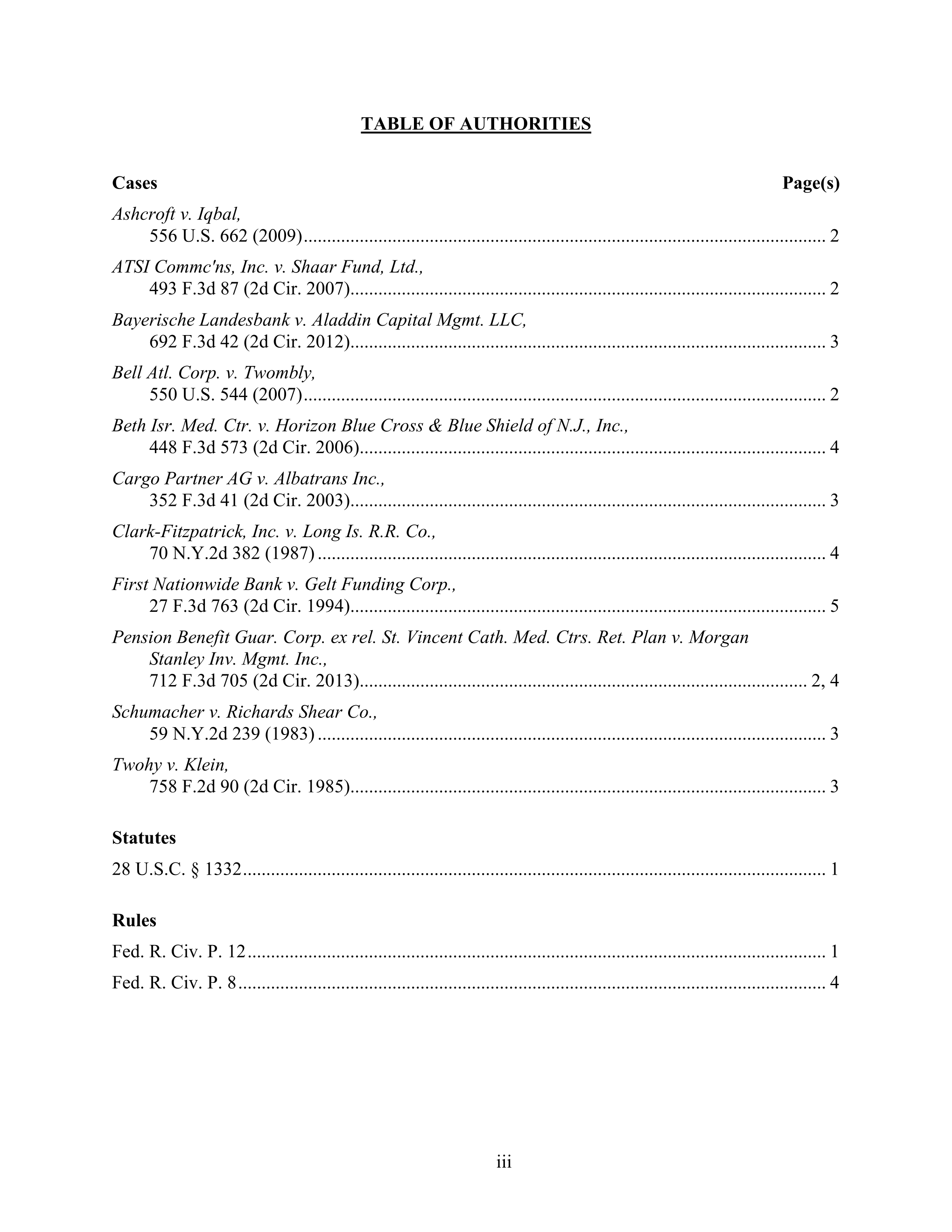
Pleadings in a New York court format
“The deadlines aren't as tight… Instead, I'm just able to focus on the arguments.”
 Brian LehmanNew York litigation attorneyRead Brian's story
 Draft with AI. Review in Word. Keep working.
Draft with AI
Work in Claude or ChatGPT and receive an ordinary Word document and PDF.
Review in Word
Co-counsel, clients, and other reviewers need no DocketDrafter account. They can use Track Changes, leave comments, or edit the text directly.
Bring the review back
A DocketDrafter user returns the reviewed DOCX through Claude or ChatGPT. The workflow compares it with the delivered version, including direct edits made without Track Changes.
Keep working
Review the requested changes, continue from the controlled draft, and receive an updated Word document and redline.
Start where an AI power user eventually gets.
Advanced users spend months assembling Projects, skills, court templates, and Word workflows. Your New York workspace begins with the durable parts already in place.
Build it yourself
- Create Projects, prompts, and skills
- Locate and configure New York forms
- Teach AI your pleading conventions
- Fix Word formatting by hand
- Maintain separate AI setups

Start with DocketDrafter
- Use a litigation workspace ready on day one
- Start with supported Unified Court System forms
- Use configured state and federal formats
- Receive court-formatted Word and PDF documents
- Use one workspace through supported agents
Ready on day one. Maintained over time.
The New York workspace stays current. DocketDrafter adds supported forms, updates court resources, improves document workflows, and maintains connections to supported agents.
Customization remains optional. Start with the house workspace, then let us add your letterhead, preferred pleading style, or recurring workflows when useful.
Two 30-minute workflow and coaching sessions per firm, every month. Use them for prompting, matter context, connecting other tools, or getting a recurring workflow running. Your onboarding call is separate, and ordinary email support remains included.

Tommy Eberle
Co-Founder/CEO
DocketDrafter
Your sessions are with Tommy, who helps attorneys move from experimenting with AI to completing real legal work with it.
No AI expert required
- No programming or vibe coding
- No Projects or skills to maintain
- Practical help with prompting and review
$349per paid user / month
Month-to-month. No annual contract, setup fee, or implementation fee. Cancel anytime; cancellation takes effect at the end of the paid month.
Start with one seat. Add or remove seats at any time.
See full pricingUnlimited cases, documents, and revisions for your firm’s ordinary legal work.
No per-document charges or case caps.
- New York litigation workspace with Word and PDF output
- 30-minute onboarding call and hands-on help through your first month
- Your templates and letterhead, built and maintained by us
- Two 30-minute AI coaching sessions a month for your firm
- Email support
First-month money-back guarantee. If DocketDrafter is not right for your firm, let us know during your first month for a full refund.