
USCIS forms, filled from the client's file in Claude or ChatGPT.
Without building it yourself.
Give your assistant the questionnaire, interview notes, or Spanish-language documents. DocketDrafter returns the completed official form, filled the way your firm files it.
Start from whatever the client gave you.
Interview transcripts, handwritten questionnaires, birth certificates, prior I-765s, FOIA records. Your assistant reads them in any language and asks about anything missing or inconsistent. DocketDrafter fills the official form. Your assistant can pull the files from Dropbox or Clio; DocketDrafter works alongside the systems you already use.
Use DocketDrafter to prepare the I-485, I-765, and G-28 from the documents in this client's folder.
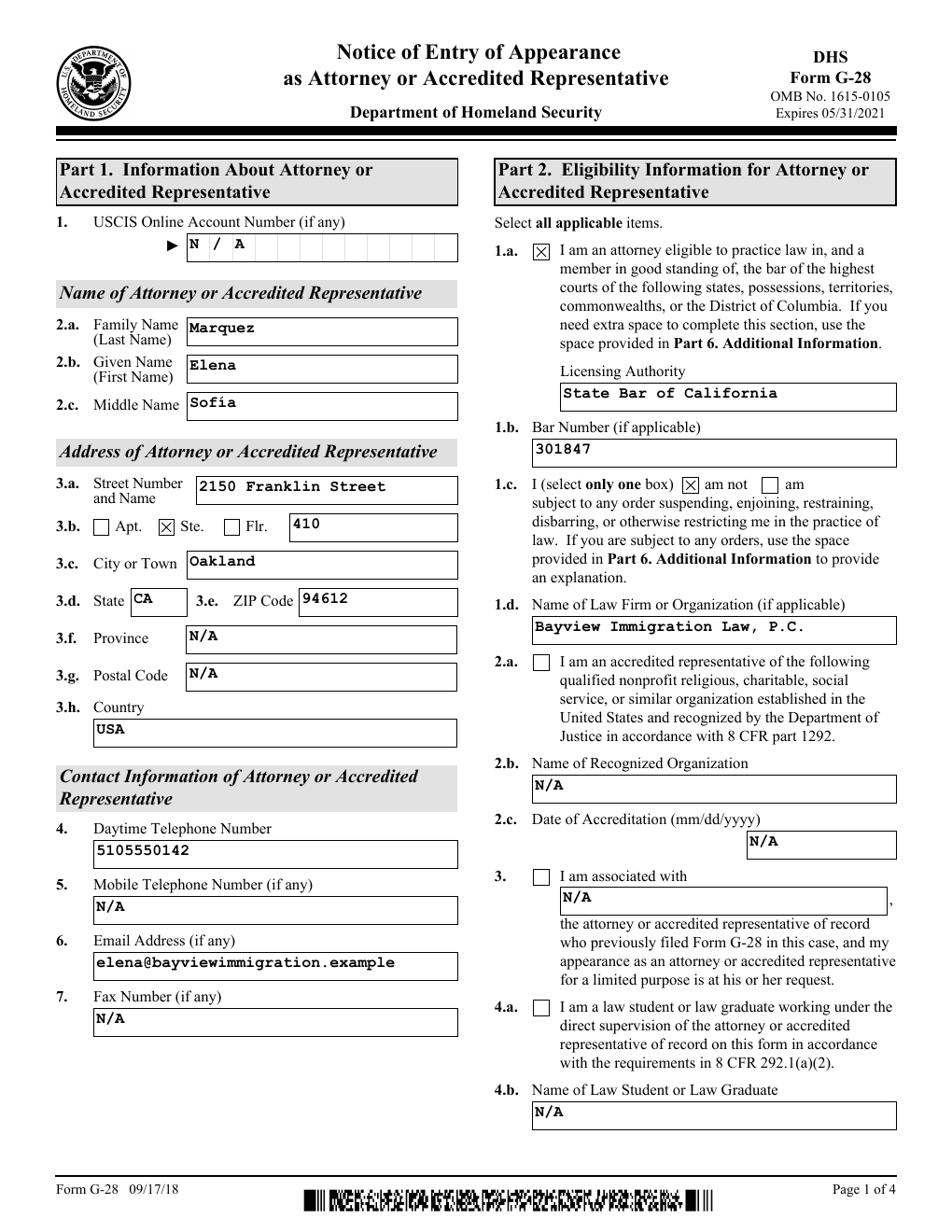
Long answers continue on the form's own page.
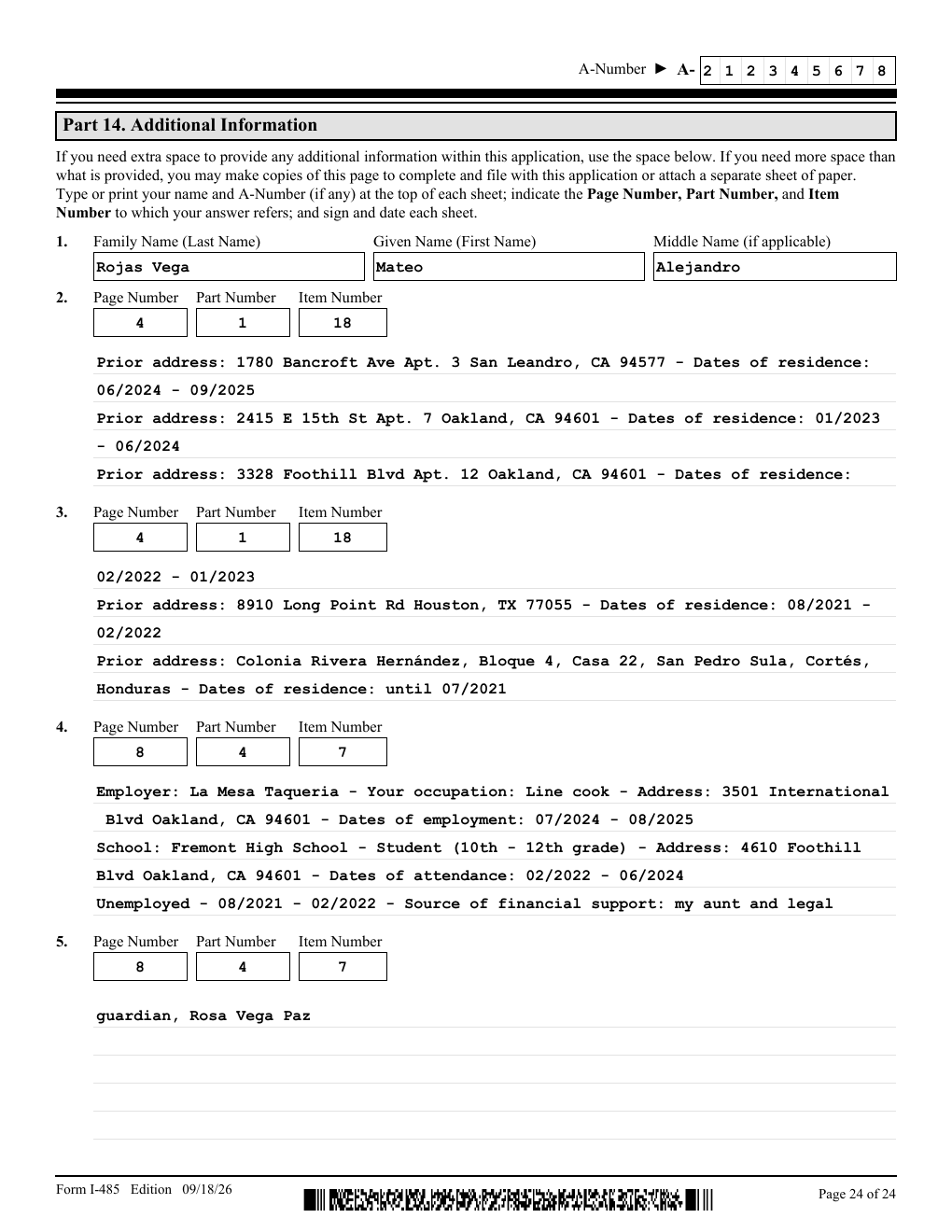
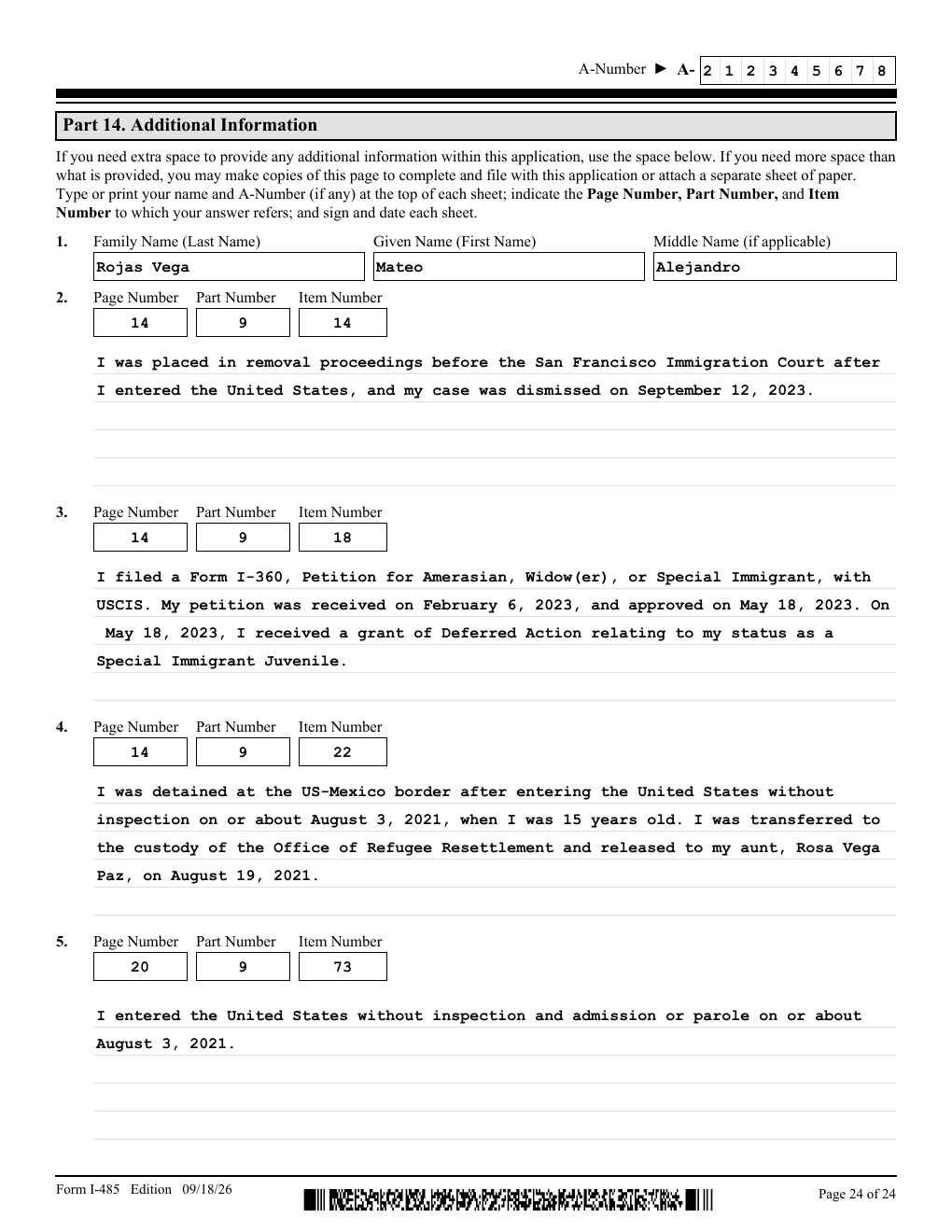
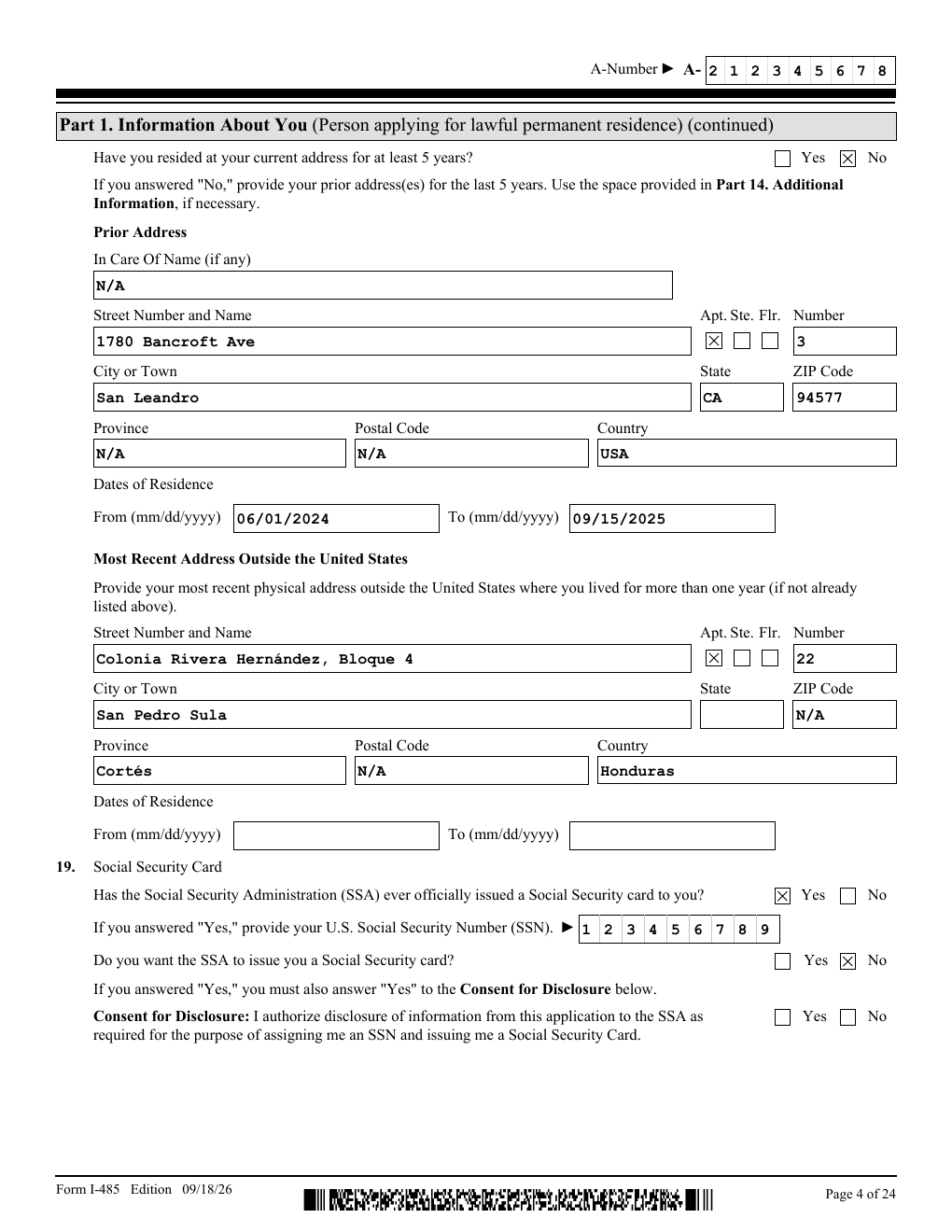
Five years of addresses. A complete employment history. Explanations for Part 9. When an answer doesn't fit, DocketDrafter continues it on extra copies of the form's own Additional Information page, with the applicant's name, A-number, and the page, part, and item references filled in. No retyping into Part 14.
Use DocketDrafter to add his full address history since 2021.
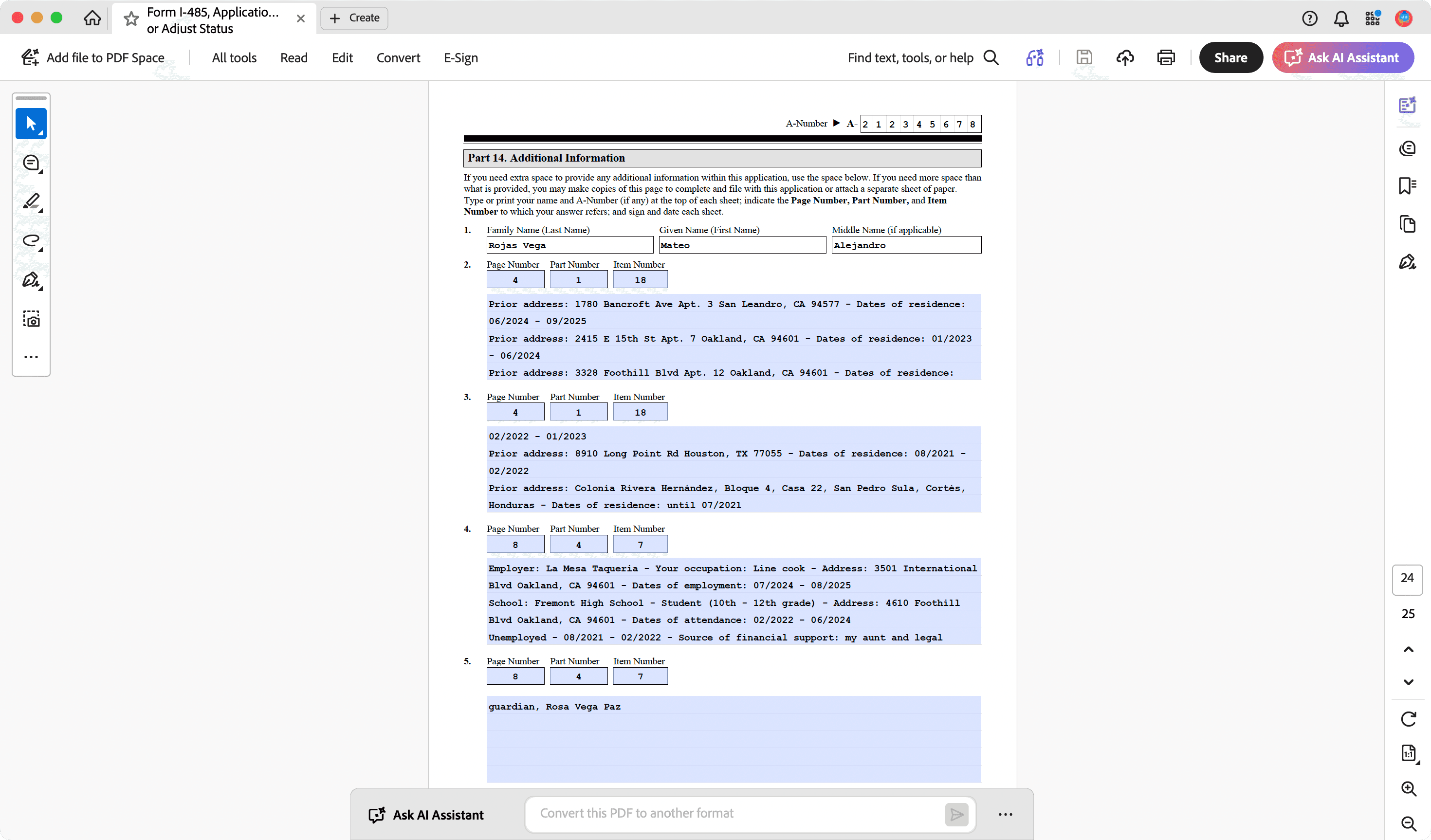
Still editable in Adobe Acrobat.
File the flattened PDF as is, or ask for the fillable copy and make last-minute changes in Acrobat. Every answer, including the extra pages, stays in an editable field.
Filled the way your firm files.
Tell your assistant once: N/A in every blank that doesn't apply, your mailing address on every USCIS form, how prior addresses should read, the wording you use to explain an arrest. DocketDrafter saves it, and every attorney and staff member's next form follows it.
From now on, use our PO Box as the attorney address on every USCIS form.
Every change saved. Nothing lost.
Every edit to a form is recorded with who made it, when, and a short description of what changed. Ask your assistant what changed since the client reviewed it, compare two versions, or go back to any earlier one. Let AI update the I-485 without worrying that a correct answer disappears.
Use DocketDrafter to show me what changed on this I-485 since Tuesday, and restore the original employment history.
- Ana TorresUpdated height and weight from the client’s driver license.
- Maria ReyesMarked the Part 9 follow-up items N/A where the answer was “No.”
- Ana TorresAdded two prior addresses in Oakland to Part 14.
- Maria ReyesFilled the I-485 from the intake questionnaire and interview notes.
Every form you file, ready before you start.
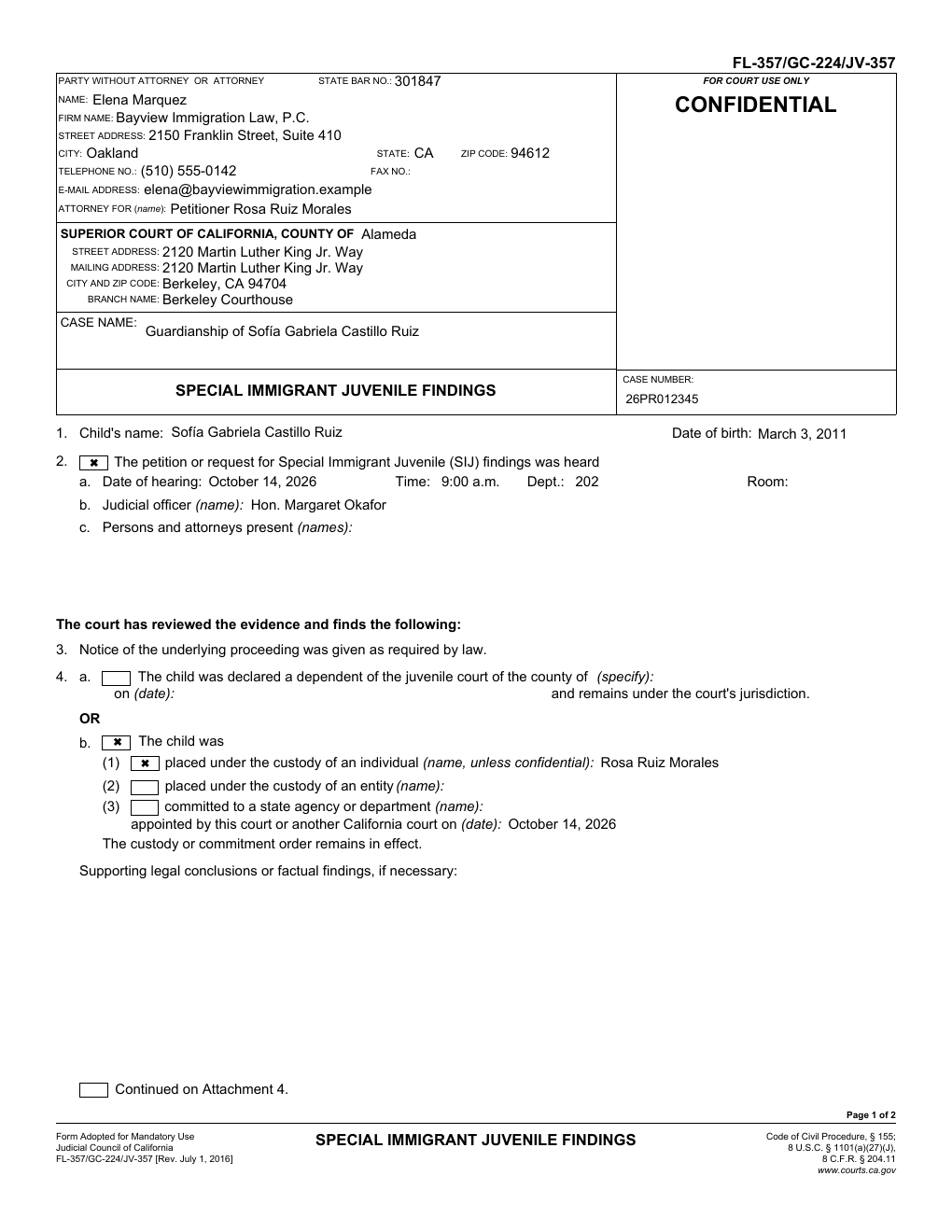
Send us your checklist (USCIS, Judicial Council, and county forms). They're ready before onboarding at no extra cost, and we check daily for new editions.
USCIS
- G-28
- I-360
- I-485
- I-765
- I-290B
California SIJ
- GC-210
- GC-220
- GC-224
- FL-356
- JV-356
Plus about 30 related guardianship, custody, and parentage forms. Don't see yours? We add it before onboarding at no extra cost.
The letters and briefs, too.
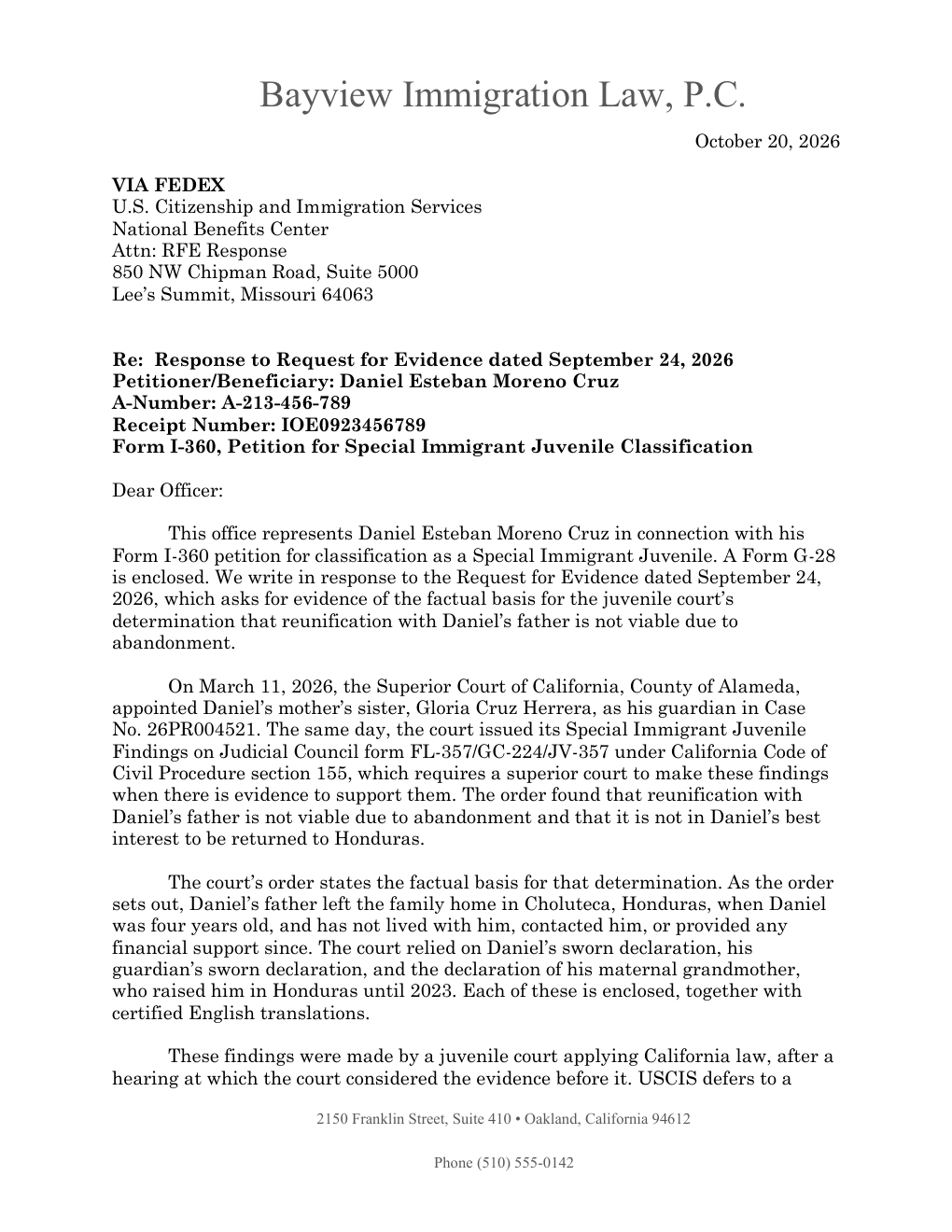
The same workspace drafts NOID and RFE responses on your letterhead, I-290B briefs, EOIR motions, and federal complaints, in Word, with tables of contents and authorities where needed. You direct the argument; DocketDrafter handles the formatting and keeps every version.
Use DocketDrafter to draft a response to this RFE using our last NOID response as the model.
Built for sensitive client information.
DocketDrafter supports A-numbers, Social Security numbers, identity documents, immigration status, and information about minor clients. Your workspace is private to your firm, encrypted at rest in the US, and never used to train AI. Your attorneys review and sign every form before anything is filed.
Read the Trust CenterReady on day one. Maintained over time.
Your forms stay current. We update form editions, fix issues your assistant reports, and add the forms you request.
Customization remains optional. Start with the forms you file, then add your letterhead, letter templates, and standing instructions whenever they're useful.
Two 30-minute workflow and coaching sessions per firm, every month. Use them for prompting, matter context, connecting other tools, or getting a recurring workflow running. Your onboarding call is separate, and ordinary email support remains included.

Tommy Eberle
Co-Founder/CEO
DocketDrafter
Your sessions are with Tommy, who helps attorneys move from experimenting with AI to completing real legal work with it.
No AI expert required
- No programming or vibe coding
- Help connecting Dropbox, Google Drive, Gmail, Clio, and other tools
- Practical help with prompting and review
$349per paid user / month
Month-to-month. No annual contract, setup fee, or implementation fee. Cancel anytime; cancellation takes effect at the end of the paid month.
Start with one seat. Add or remove seats at any time.
See full pricingUnlimited cases, documents, and revisions for your firm’s ordinary legal work.
No per-document charges or case caps.
- Immigration workspace with Word and PDF output
- 30-minute onboarding call and hands-on help through your first month
- Your templates and letterhead, built and maintained by us
- Two 30-minute AI coaching sessions a month for your firm
- Email support
First-month money-back guarantee. If DocketDrafter is not right for your firm, let us know during your first month for a full refund.