
Table of authorities
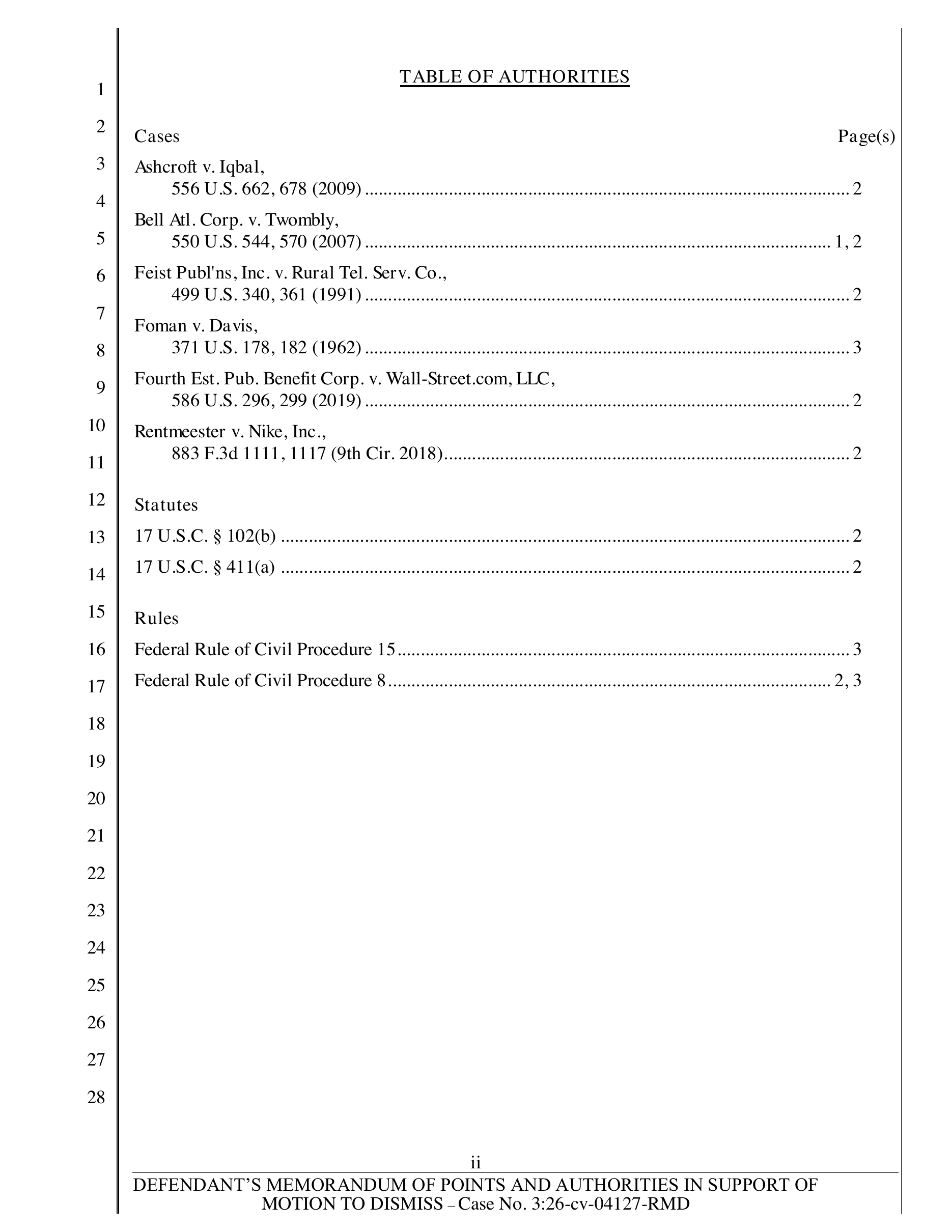
Cases, statutes, and rules are organized by category with every corresponding page reference.
Ask your assistant to cite check the brief. It reads the full opinions and the brief, records a decision for every authority, and flags anything that needs your attention.
Use DocketDrafter to cite check this brief.
Invented cases are the easy problem. The harder one is a real case that does not say what the brief says it does. Reviewers read the complete brief and the full opinions, never snippets, headnotes, or summaries. When subagents are available, independent reviewers each take a few cases.
An authority that cannot be found is flagged, with a note on what was searched.
Quoted language and pinpoint pages are compared against the opinion or the primary text of the statute or rule.
Each place the brief cites an authority is checked against what the authority actually holds, not only the first citation.
Ask for the cite check as an Excel workbook at any stage. Each authority shows its status, the issue found, who reviewed it and when, the source link, and attorney notes. An associate or co-counsel can mark it up and hand it back, and Claude imports their decisions with their names attached. The same check works on a brief you were served.
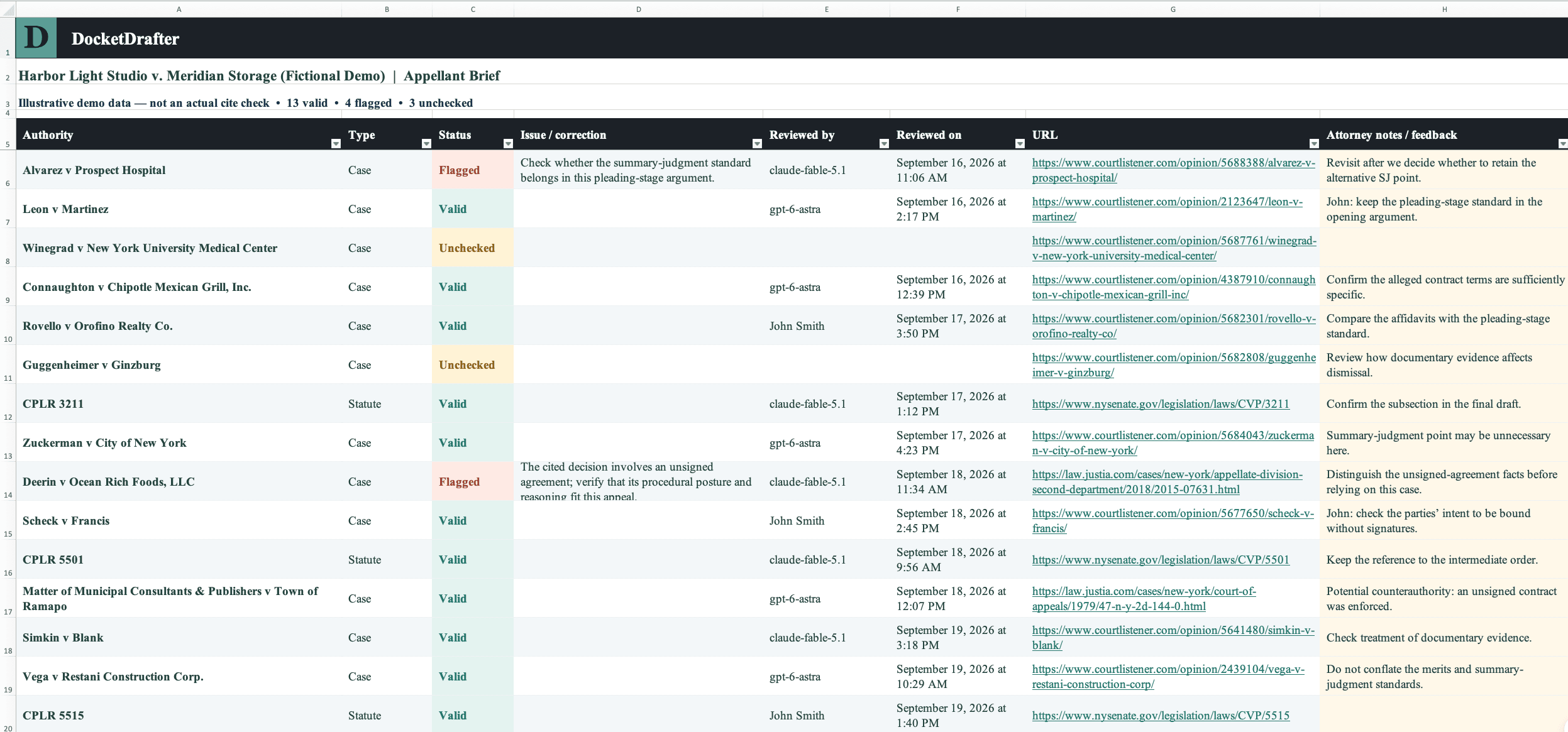
Run the check on a section as soon as it is written, then again before filing. When a later edit changes how an authority is used, its review can be revisited without redoing the rest.
“If an inaugural error was put in a foundational piece, it could be carried through the entire brief and it could be a disaster. So I want to know that everything is right on the front end.”

Richard Serpe
Trial lawyer, 40 years in plaintiff personal injury
Bring the cases, statutes, and rules your lawyers already trust. DocketDrafter produces linked citations and tables of authorities, then preserves reviewed sources in a reusable firm library.
When a saved authority has a source link, its citations in the finished Word brief are clickable—including full citations, short forms, and pinpoint citations.
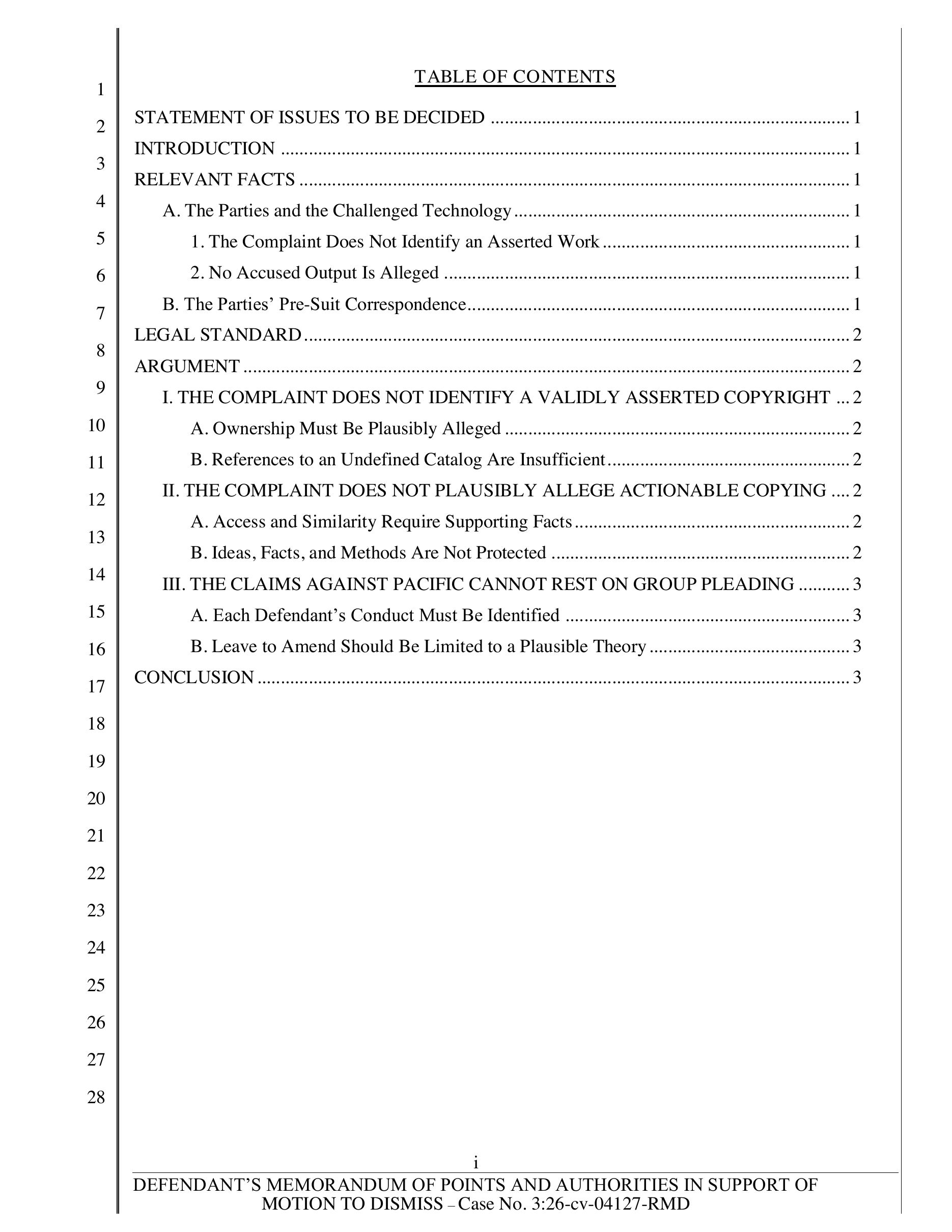
Brief headings populate the table of contents. Cited cases, statutes, and rules populate a categorized table of authorities with page references.
Reviewed authorities can be saved with their canonical citation, source, aliases, notes, and review status for use in future matters.
When an authority has a saved public source, DocketDrafter carries that link into every citation in the Word brief. The reader can move directly from the argument to the underlying authority.
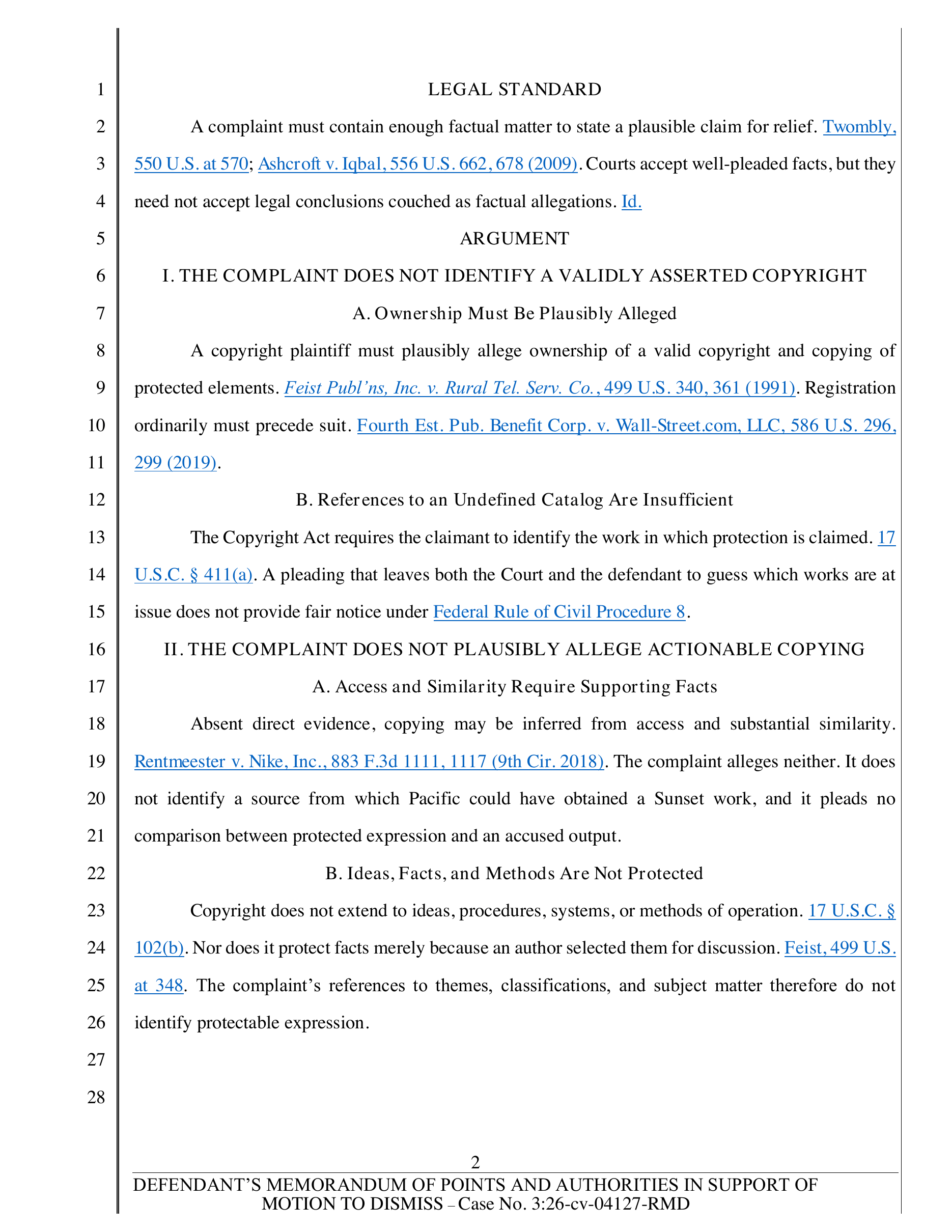
DocketDrafter builds both tables from the brief itself. You review the law and substance; the document system handles headings, categories, dot leaders, and page references.
Cases, statutes, and rules are organized by category with every corresponding page reference.
The brief's heading structure becomes a hierarchical contents page with page references.
A good authority should not disappear into an old matter. Save it to the firm playbook so another lawyer can find the source, recognize its short forms, see the firm's notes, and decide whether it belongs in the next draft.
Saved authority
Keep researching in the services and sources you already use. DocketDrafter does not replace legal research or currentness review; it organizes the authorities your lawyers select and carries them into the finished document.
Continue researching with Westlaw, Lexis, CourtListener, official court sites, or any source your lawyers prefer.
The same authority stays connected across full citations, short forms, pinpoint citations, and Id. references.
DocketDrafter renders clickable body citations and builds the table of contents and table of authorities.
Save reviewed authorities to the firm playbook so the next matter can begin with research the firm already knows.
Bring a representative motion or brief. We'll show how the cite check, linked citations, and brief tables would work with your firm's documents.