
How to Keep the Attorney Signature Block on a Single Page in Microsoft Word
Learn how to use Word's paragraph formatting to ensure your prayer for relief and attorney signature block stay together on the same page in legal answers.

In a legal answer, it's considered best practice to keep the prayer for relief and attorney signature block on the same page. Here is what NOT to do:
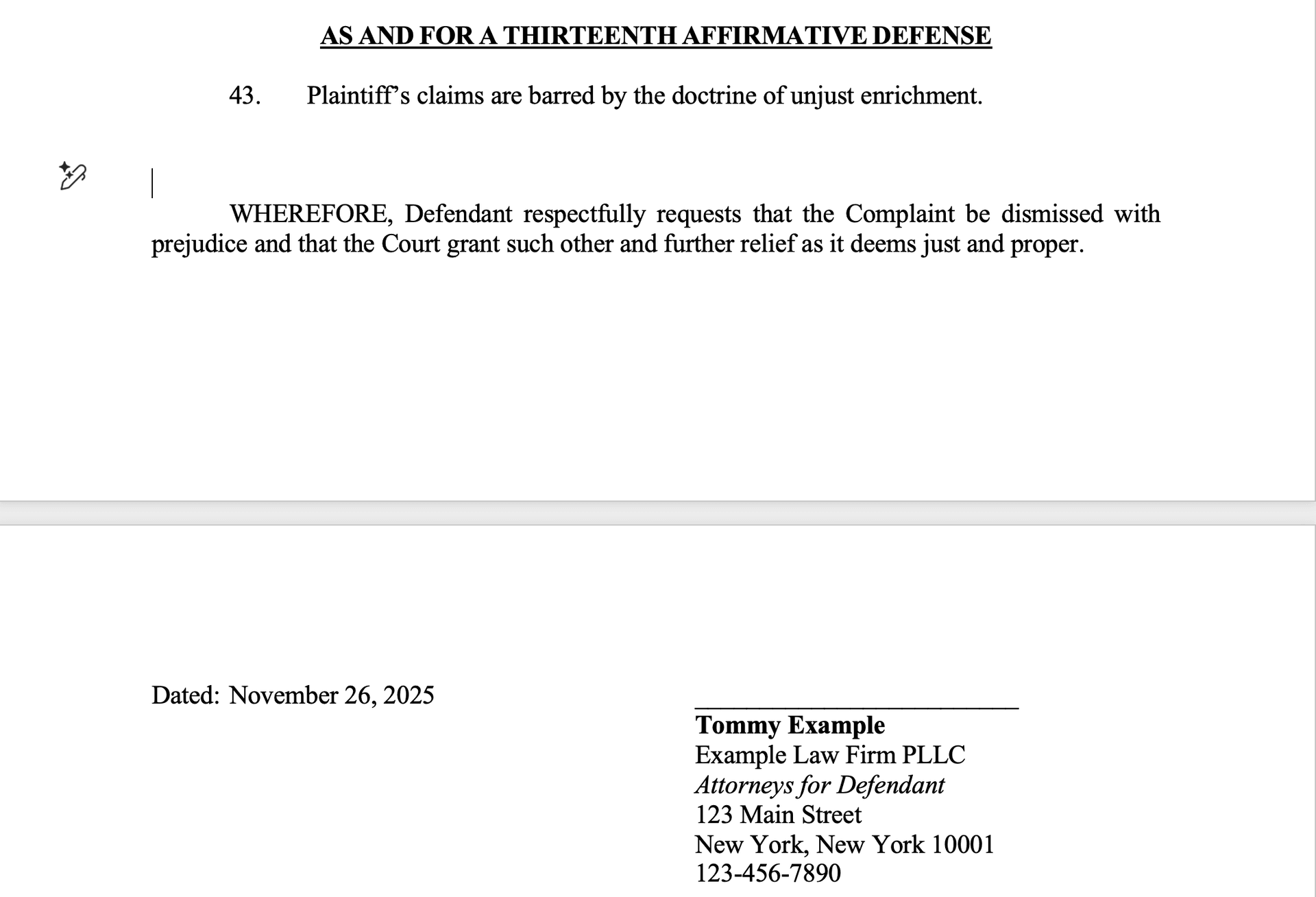
As we can see, there is a page break in between the prayer for relief and the signature block. The simplest way to fix this is to add newlines after the last affirmative defense until the prayer for relief and signature block are on the same page. This works, but is tedious. Additionally, if another affirmative defense gets added you might need to add newlines again!
A better approach is to use built in Word styling features. We can easily tell Word that the prayer for relief and signature block ALWAYS need to be on the same page. This way, Word will handle this automatically and we won't have to worry about it.
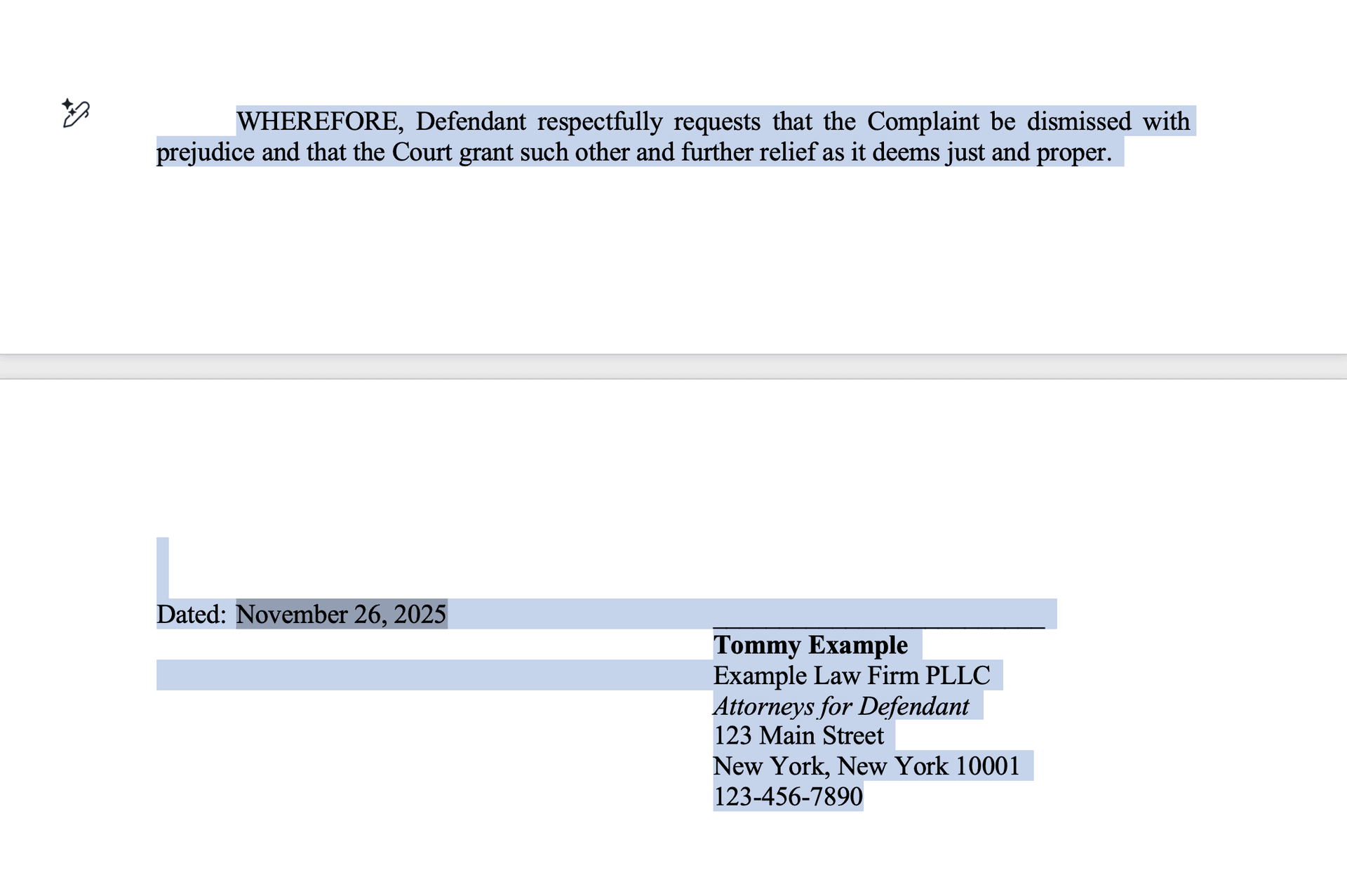
Highlight the Prayer for Relief and Signature Block
First, highlight the prayer for relief and signature block:
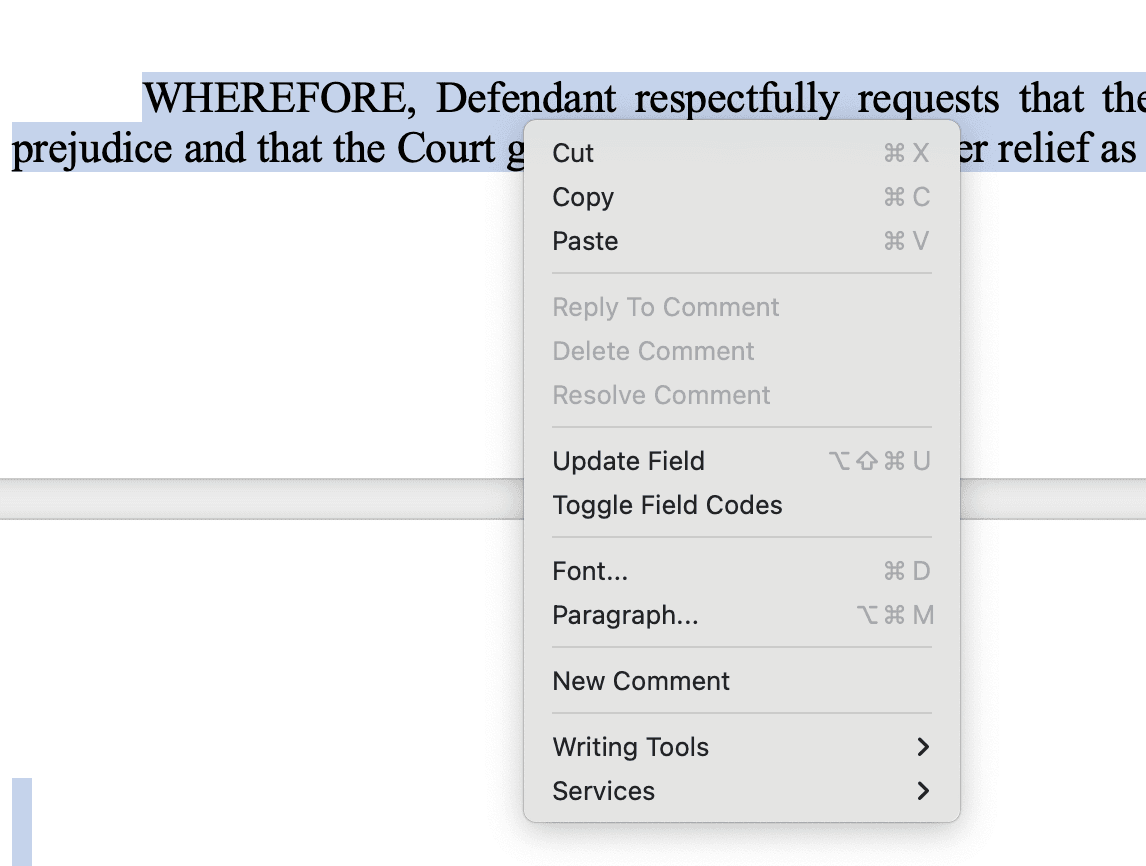
Open the Paragraph Settings
Then, right click and select "Paragraph":
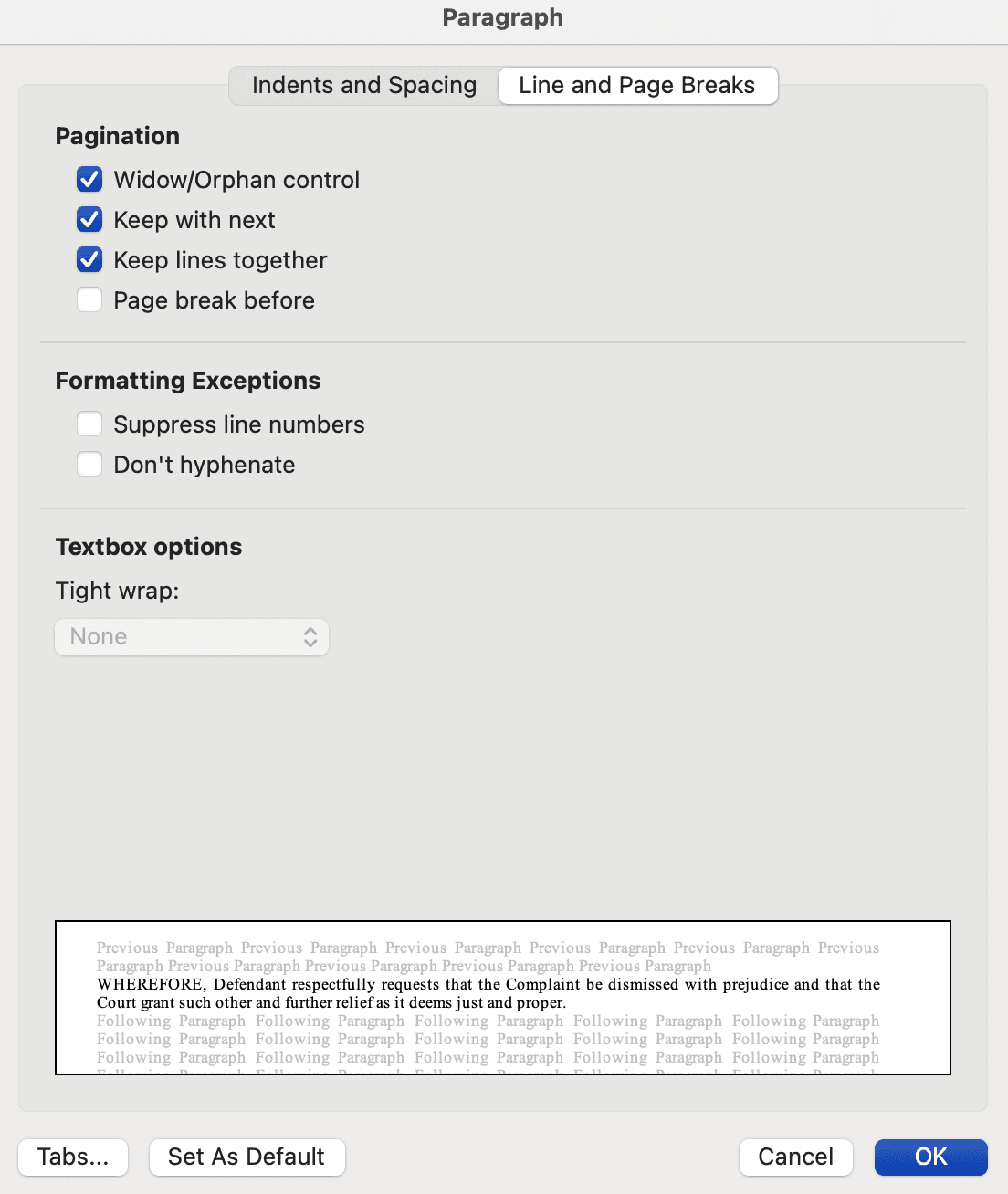
Enable Keep With Next and Keep Lines Together
This will open a styling window. Make sure the "Line and Page Breaks" tab is selected. Then, check "Keep with next" and "Keep lines together". Then click OK.
You should see the document update immediately with the prayer for relief on the same page as the signature block. You can test that this is working properly by adding newlines to push the prayer for relief down the page. You will see that once you add a newline that will push the last line of the signature block onto a new page, the whole prayer and signature block will move together.
Note: Be careful that the newlines above the prayer for relief do NOT have "Keep with next" or "Keep lines together" checked.