
How to Find Consumer Debt Dockets in New York State
A step-by-step guide to searching for consumer debt cases using New York's NYSCEF online court system.

New York has one of the best online docket search systems in the US. It's straightforward to find consumer debt dockets.
Getting Started
The case search page is the best place to start. This page is publicly accessible without an account.
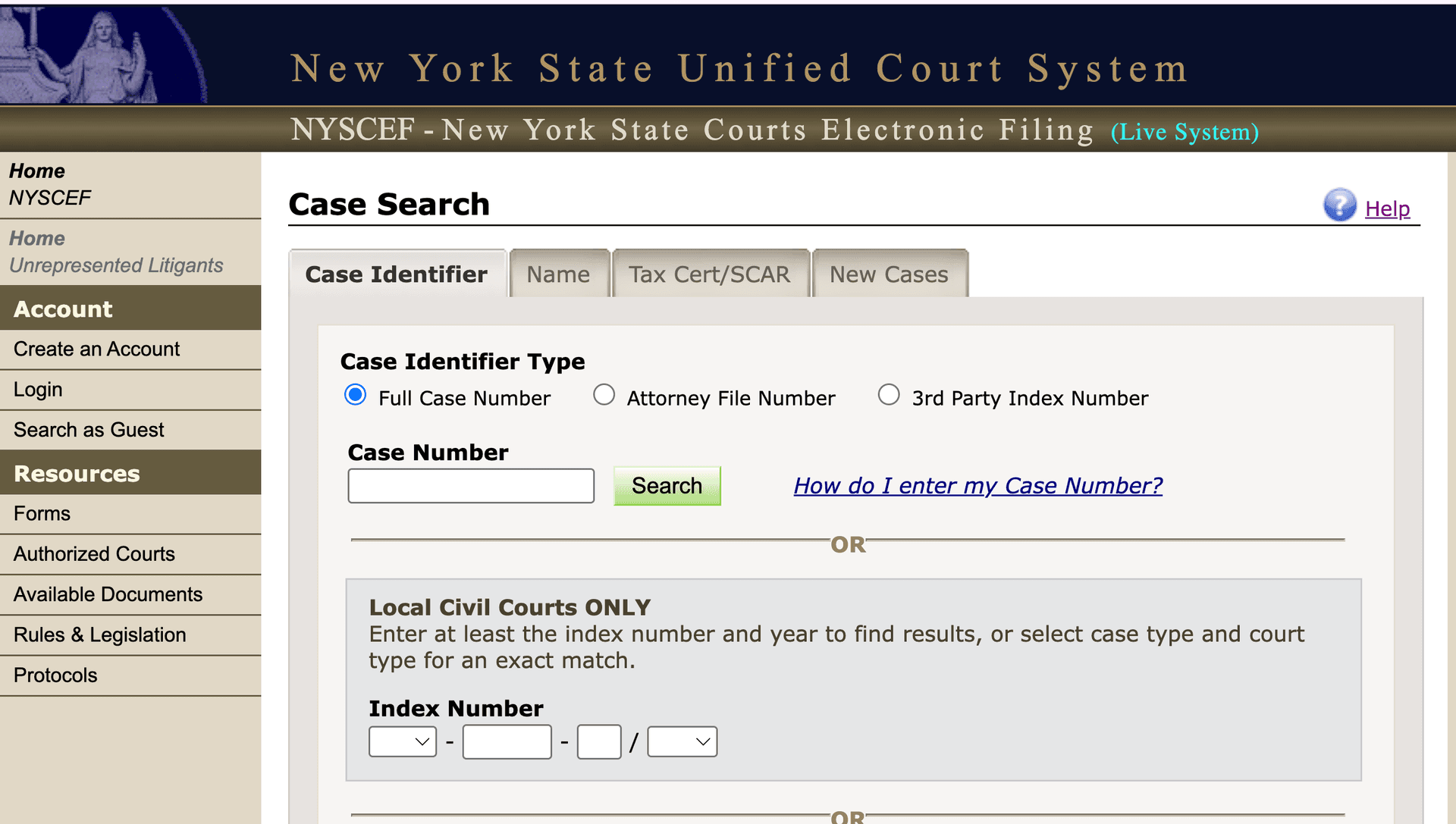
Searching by Case Number or Name
If you are looking for a particular case, you can either search by case number or name. If you have the index number this is the easiest way to find a particular case. If you need to search by name, you can either search by attorney or party name. This search bar is a little confusing because there are inputs for "Business/Organization" AND "First Middle Last". In the context of consumer debt lawsuits, if you are looking for all cases filed by a particular debt buyer, like Velocity Investments, you should use the "Business/Organization" input. Exact names are good if you have them, but the search will match whatever it can. Less is more if you aren't exactly sure of how to spell the business or the party name.
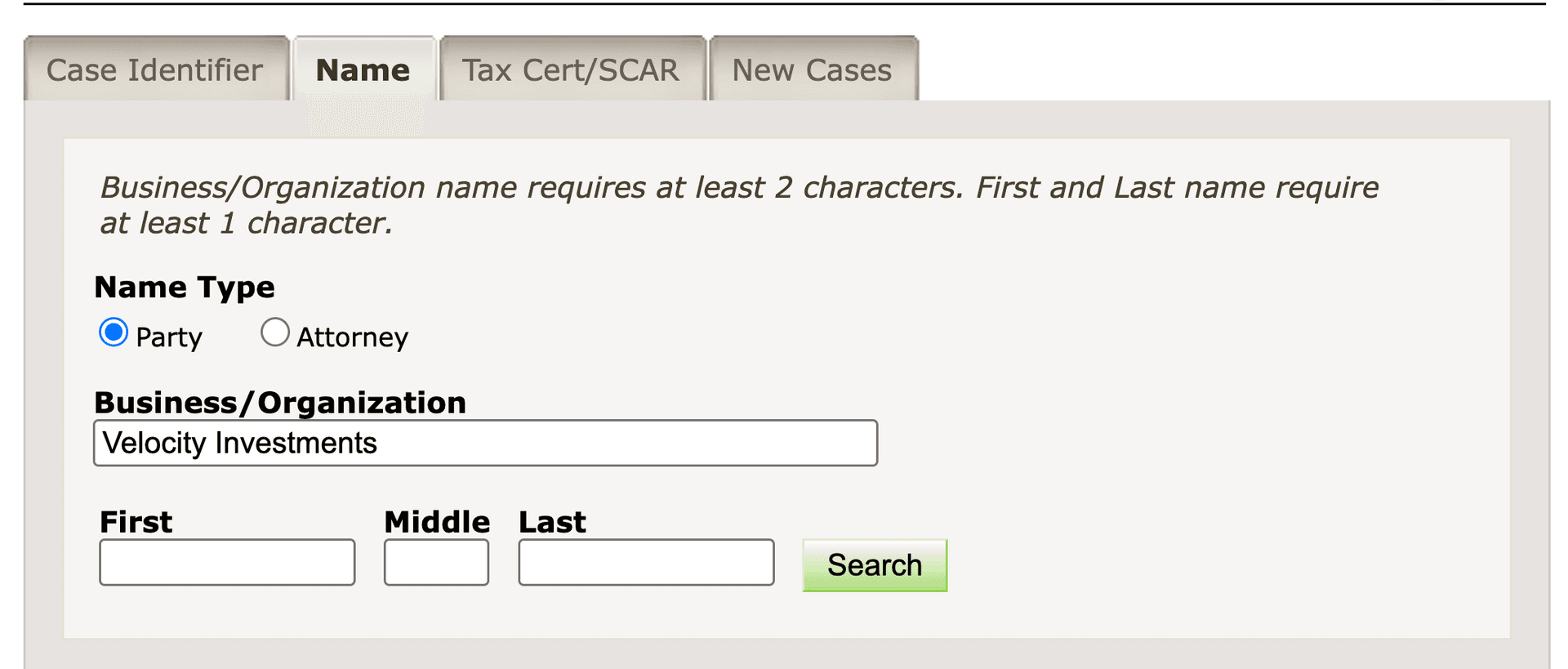
Filtering Your Search Results
Below, you'll see some options to narrow the search results:
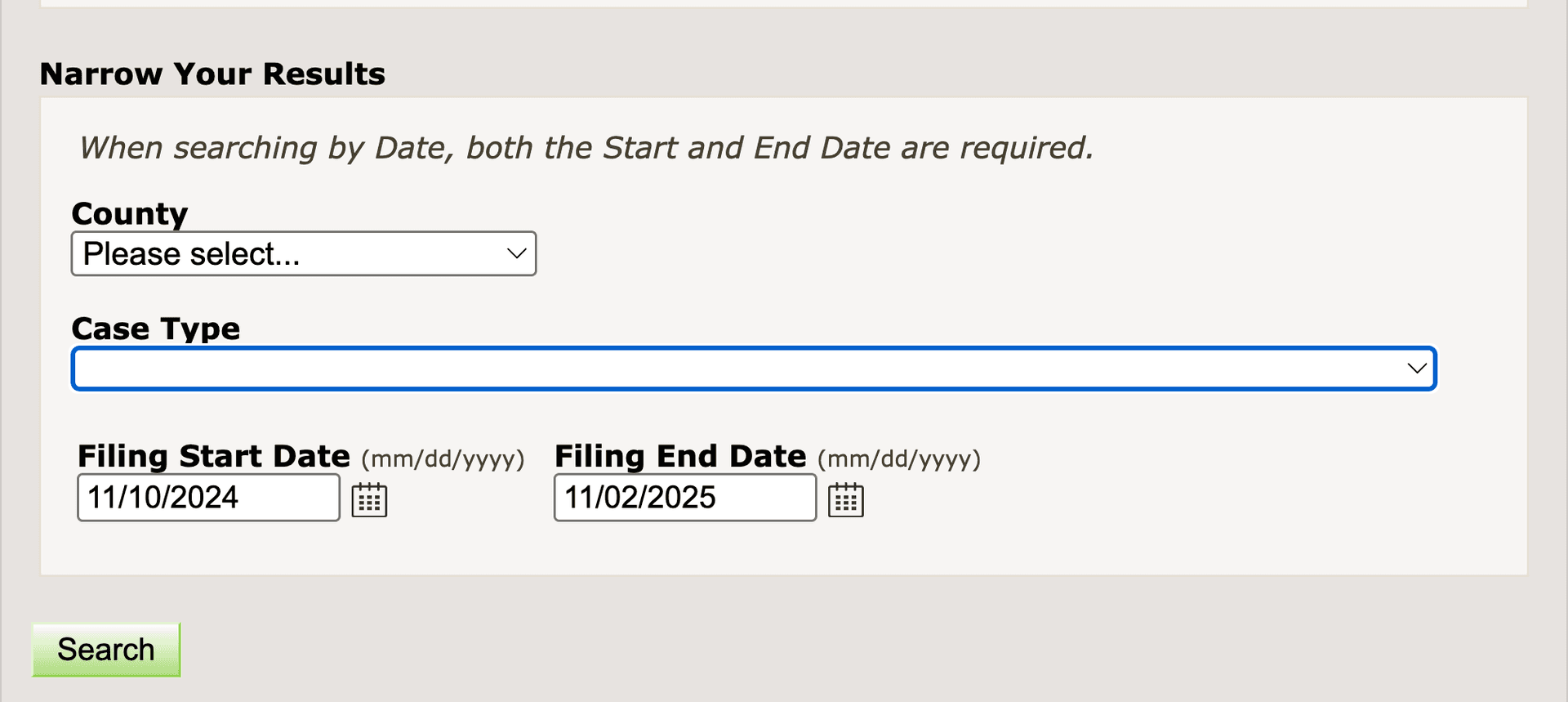
You should leave this blank if you are searching by index number. If you are combing through lawsuits from a particular consumer debt plaintiff, I'd recommend setting both a "Filing Start Date" and a "Filing End Date". There are a very large number of these lawsuits, so it's a good idea to filter by at least date. If you are searching for a particular plaintiff, like Velocity Investments, you shouldn't need to set the Case Type. The Case Type dropdown has a ton of options and it's hard to tell the difference between all of the consumer debt categories. County is also optional - if you know you are looking in a particular county this can be helpful to set but if not it's fine to omit.
Once you are ready, you can hit the green "Search" button in either the "Narrow Your Results" section or the name search section (they are the same).
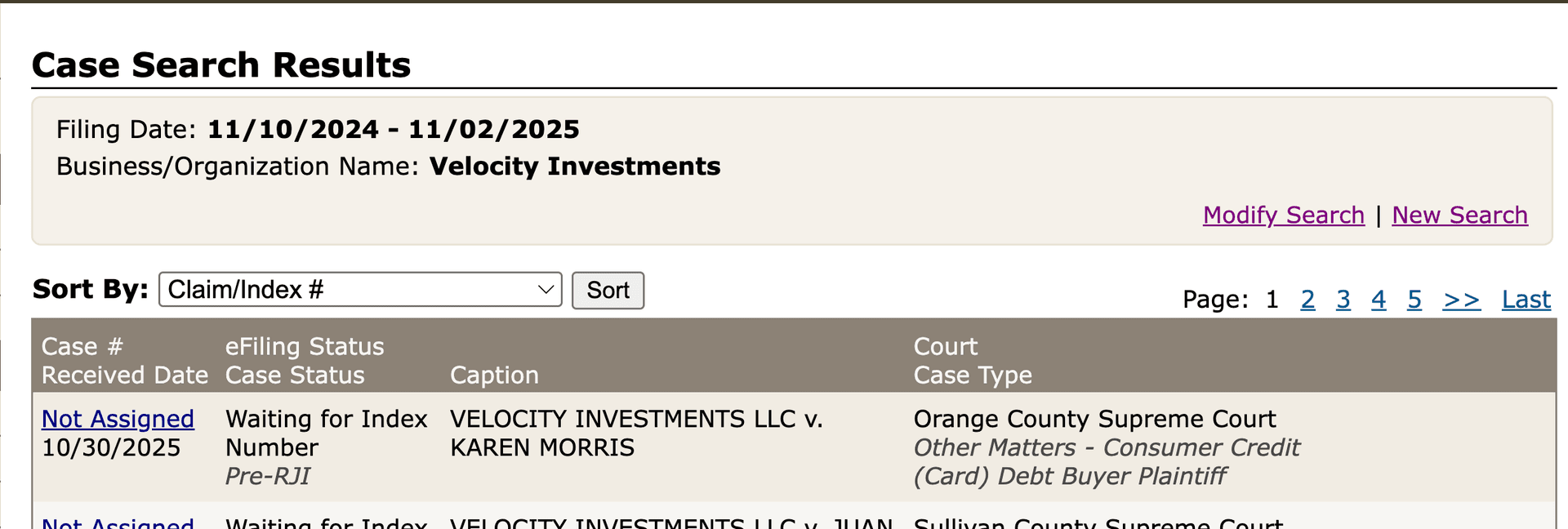
Navigating the Search Results
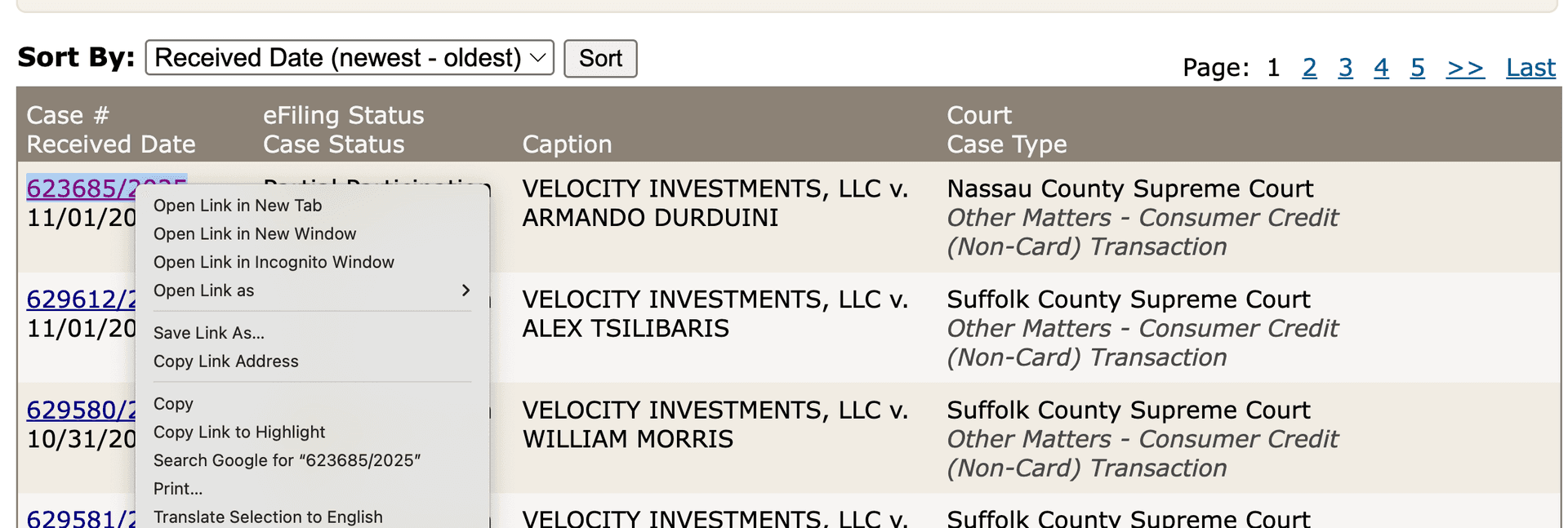
The case search results page won't return the results in any particular order. The most useful "sort by" option is likely going to be date. You can set this to newest first or oldest first. Since there are so many cases, it's a good idea to use a smaller date range if you want to search through a ton of them. When you are ready to view a docket, you can click on the "Case #" (in blue or purple). If you are looking at multiple dockets, I'd recommend right clicking and selecting "open in new tab". This way, your tab that has the search results won't go anywhere.
Viewing Case Details and Documents
Once you click on a case, you'll be taken to the case details page. This page has links to all of the docket entry PDFs.
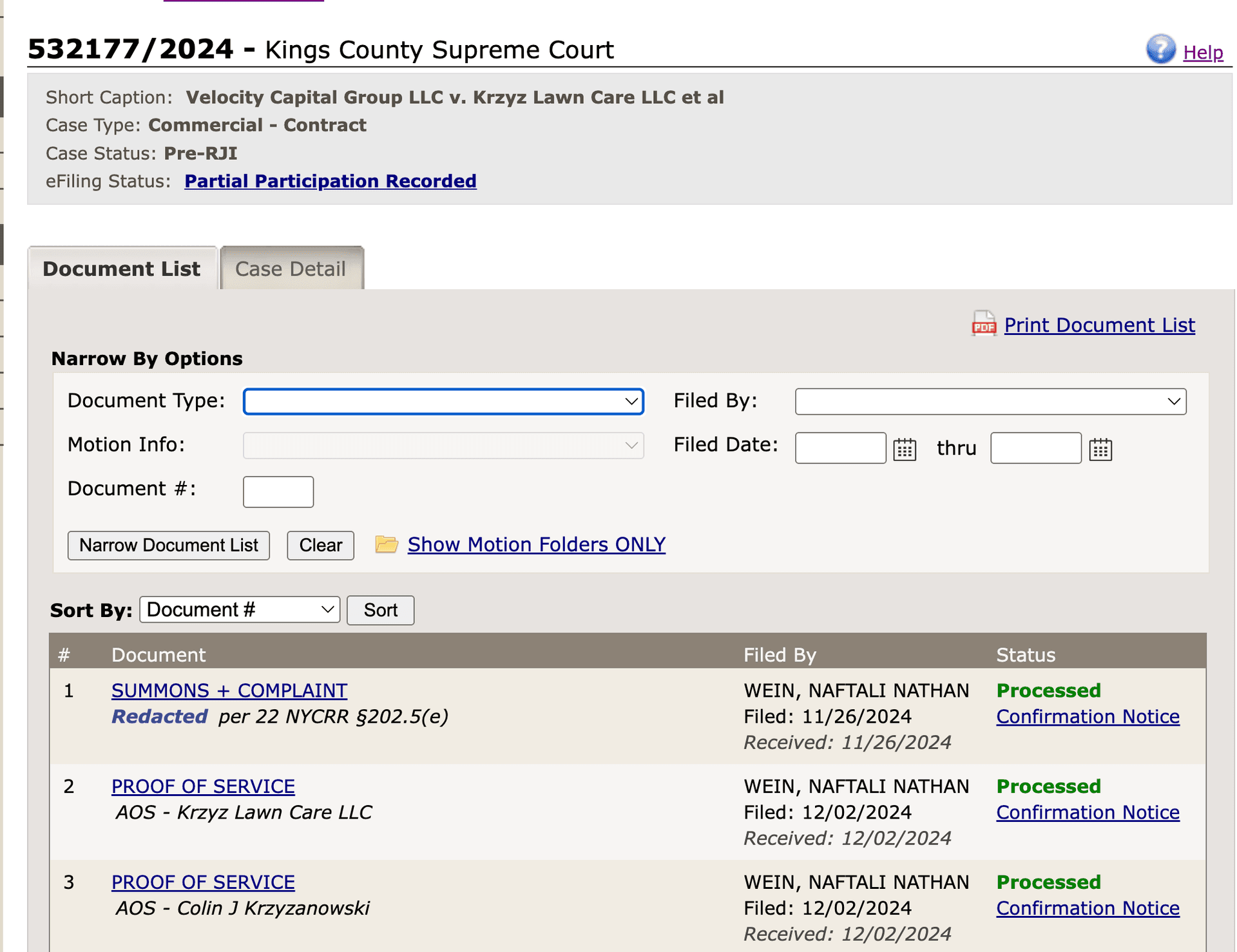
It is unlikely you will need to use any of the "Narrow By Options" for consumer debt cases. These don't usually have more than 5 docket entries so there is little value in filtering. You can click on any of the document names (like "SUMMONS + COMPLAINT") to view a PDF of the entry. Note that the "date" from the date "sort by" field is the date that the first docket entry was filed on. Usually, this will be the Summons and Complaint. There is no way to search by date for other documents.
Sharing and Saving Dockets
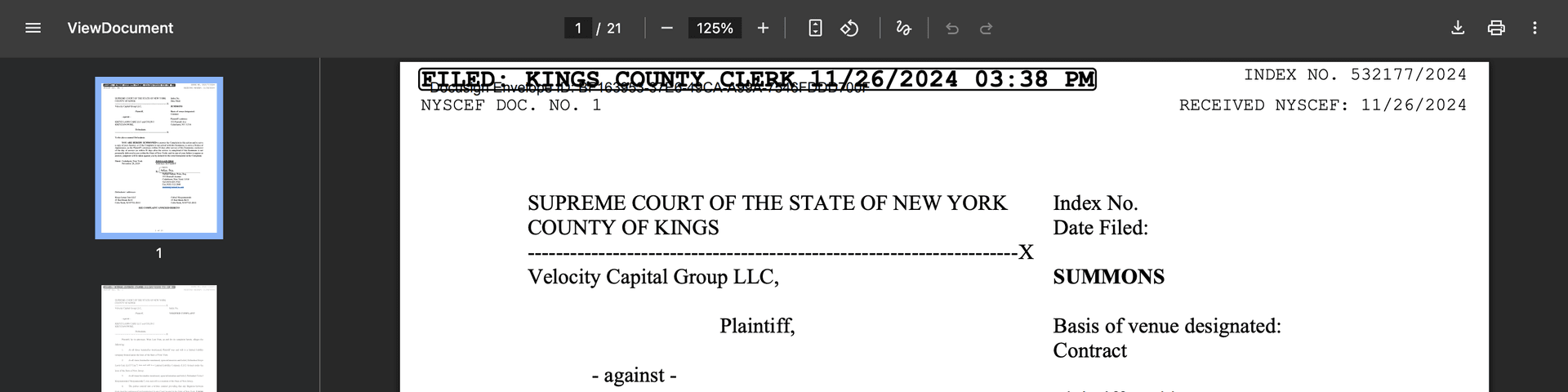
Each docket entry PDF will have the case index number at the top right of each page. In this example, this would be 532177/2024. Luckily, the URLs to these docket entry PDFs can be shared very easily. If you need to share a docket entry with someone else you can just send them the URL. The same is true for the case details page. If you need to check this docket daily for updates, you can save the URL to a spreadsheet and visit it daily to see if there are any updates. If you need to download the docket entry (perhaps to later feed into an AI model) that is also possible.