
“It’s like having another lawyer beside you.”
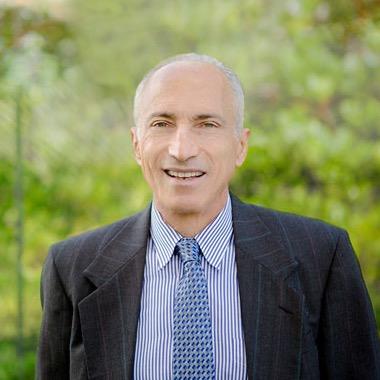
Stuart Barasch
Social Security disability attorney, nearly 50 years in practice
About Stuart Barasch. Stuart will have practiced law for 50 years next year. He has been a prosecutor, a defense lawyer, and a personal injury lawyer, and today he represents Social Security disability claimants at hearings before administrative law judges. He plans to retire in about a year and a half, and last summer he decided that was enough time to make the investment in AI.
Before: bewildered, and a little afraid
Stuart had always had staff to handle the files. “I've never been technically inclined,” he says. “It's always been somewhat of a fear of mine.” The fear had a source. In the early 2000s, with a staff of nine, he watched the firm's files disappear from Dropbox, “tumbling out of existence,” after what his staff decided was a stray keystroke of his. Getting them back took 48 to 72 hours. So when he started drafting pre-hearing memoranda with Claude, he did it “with a lot of trepidation.”
The first drafts did not help. He gave Claude broad direction, and what came back “was not what I needed. It was not what I wanted. It was too overwhelming. I didn't know how I could possibly even edit it.” He told Claude his rules, and Claude promised to follow them, then forgot them in the next chat. He could not always find the brief he had left off with, and he did not know where the instructions he was teaching Claude were kept, or how to ask about them.
“There was a lot of bewilderment and uncertainty and therefore insecurity. That's not a way to be in law. You can't be insecure.”
After: his rules, kept for him
Stuart connected DocketDrafter to Claude in October. Now a brief starts where he is most comfortable: in the exhibit file, looking for the theory of the claim. “I spend a good hour to two,” he says, and on a hard case three or four. Then he tells Claude the theory, or asks it to research the file and answer in the chat first, so he can see where the brief should go before anything is written.
What he no longer does is keep the rules himself. When he tells Claude something is a standing instruction for all future briefs, DocketDrafter keeps it, and every brief after that follows it. He has more than 20 now, all stated out loud: no “we contend,” short sentences and short paragraphs in the style he learned from Bryan Garner, diagnostic findings copied word for word from the record, and no claimed work limitation without a medical opinion to support it. When Claude finds a gap or a conflict in the record, it tells him in the chat rather than writing it into the memorandum.
“It took the burden off me. All I have to say is, using DocketDrafter, Claude, you'll see these instructions in DocketDrafter. Well, that was a great help. That took a lot off my plate.”
Every version of every memorandum is saved. When a chat goes wrong, he starts a new one and asks for the memo by the claimant's name. His format and letterhead come out the same way every time, and when a memo is final, one sentence gets him the clean copy for his assistant to upload to Social Security.
See the week before a hearing at a Social Security disability practice, step by step.
A coach, not a manual
Stuart learns best side by side, so the coaching that comes with DocketDrafter carried as much weight as the software. He started with two sessions a week: where his briefs were kept, why Claude seemed to forget, how to hand a finished memo off. When a step failed at one in the morning, he could leave it. “I knew that the next morning you would see the snag that I got into,” he says, “and I could either contact you or you would preemptively usually contact me.”
Stuart was in the middle of a brief when an Anthropic outage knocked out every connector in Claude's desktop app. He emailed, got an answer right away, and we worked through it with him until it was clear the fix had to come from Anthropic. When service returned about an hour later, he called, and a 60-second walkthrough had him drafting again. He likens it to keeping gold in a diversified portfolio: “Having Tommy Eberle and DocketDrafter in my pocket is just great.”
Six weeks in, he is down to two sessions a month and skipping the next one. “I don't feel that need to have you help me,” he says. “I'm past that.”
“Rather than try and figure this out for yourself, just spend the money and hire Tommy Eberle. It's a great investment in yourself, and you'll thank me for it.”
Another lawyer beside him
In his first week with DocketDrafter, Stuart started waking at one, two, or three in the morning, ready to work. “If you're swimming from Havana, Cuba to Key West and you got only 10 more miles and you've done 80 of them, you just can't wait to see the Florida Keys,” he says. “That's what it was like.”
The learning curve was “very burdensome in the beginning,” he says. “But now I am comfortable with Claude. Claude has become my associate attorney in my firm.” He bounces ideas off it, and it brings back angles he says he would not have found working alone. As a student of Garner, he admits the writing is good, too. Someone has suggested he might postpone his retirement. “I'm not there yet.”
“It has really percolated some sparks in my brain that I don't think I would have had if I was working alone. It's like having another lawyer beside you. This is fantastic. It's making me into a better lawyer.”
Stuart BaraschWant what Stuart has?
Stuart had never been technically inclined, and he did not need to become so. DocketDrafter did the work he never had to see: keeping his standing orders, his format, and every version of every memo, so Claude could become the associate he describes. Coaching got him comfortable. It is ready the day you connect it. Your AI sets it up from your firm's own papers and learns each preference you mention. When it can't do something yet, it tells us, and we build it.
What Stuart has
What your firm gets
- A Claude he calls the associate attorney in his firm
- Your AI drafts letters, briefs, and memoranda to your firm’s standards from the first session
- More than 20 standing orders, each one stated once, out loud
- Preferences you mention once applied from then on, with no folders, files, or settings to manage
- Memoranda that copy the record word for word and never stretch it
- Your rules for evidence, citations, and argument followed in every draft, with questions raised to you rather than written into the document
- No more fear of losing a brief
- Every version of every document saved, so any earlier draft can be brought back
- A coach he went from seeing twice a week to twice a month
- Plus two coaching sessions a month for anyone at your firm, until you’re comfortable on your own
- Snags fixed, often before he reported them
- When your AI can’t do something yet, it tells the founders, and we build it